
AI virtual staging furnishes an empty room
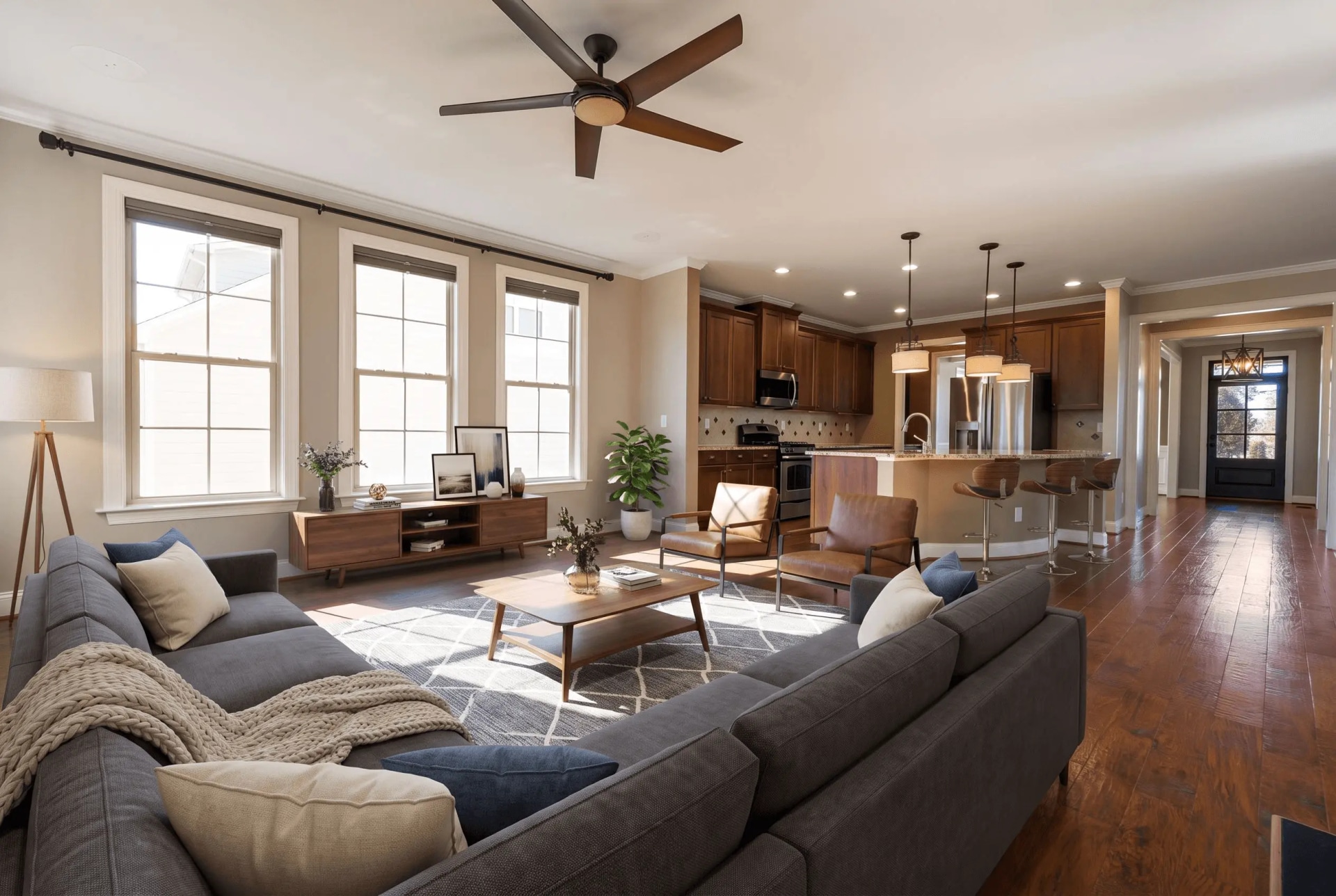
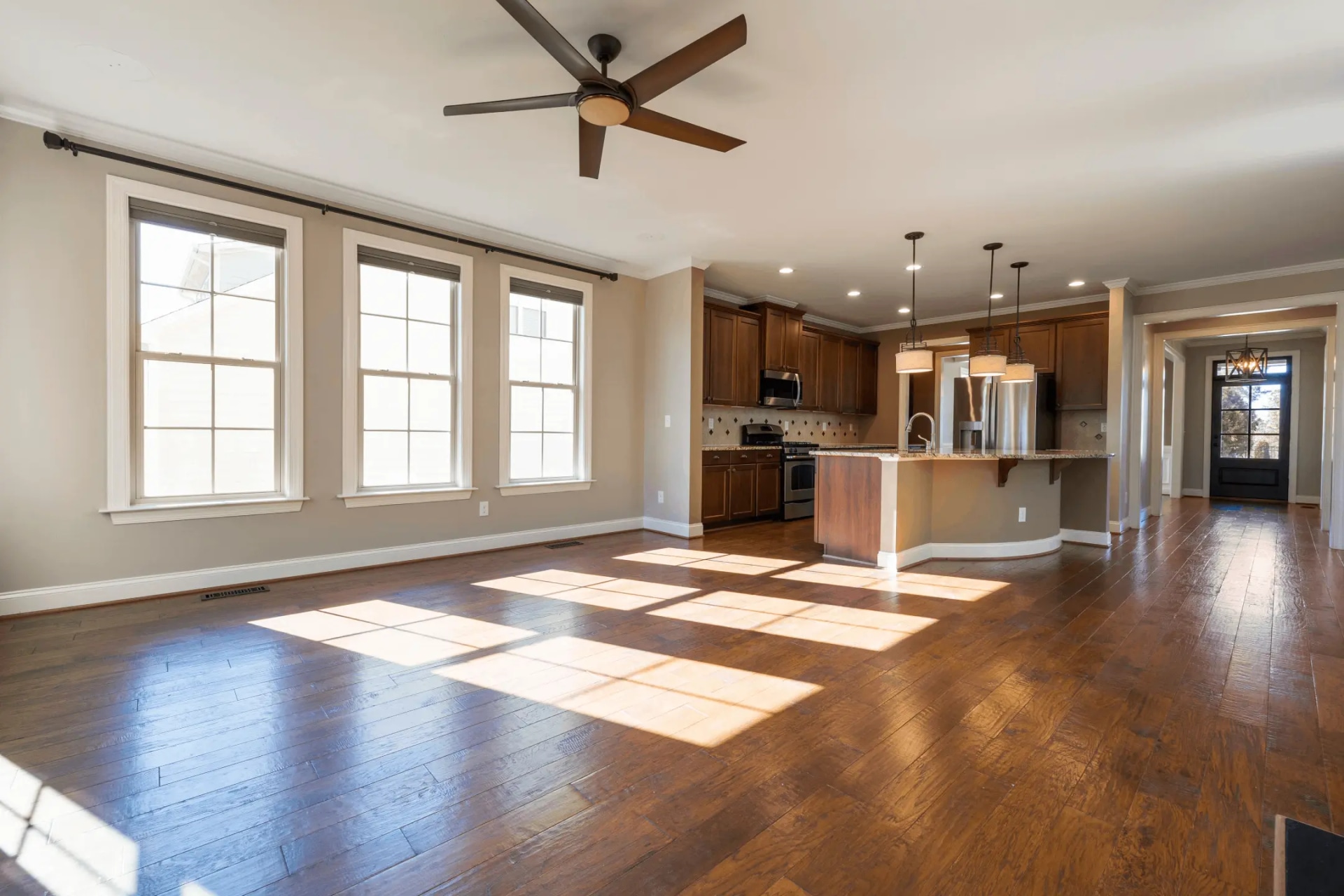
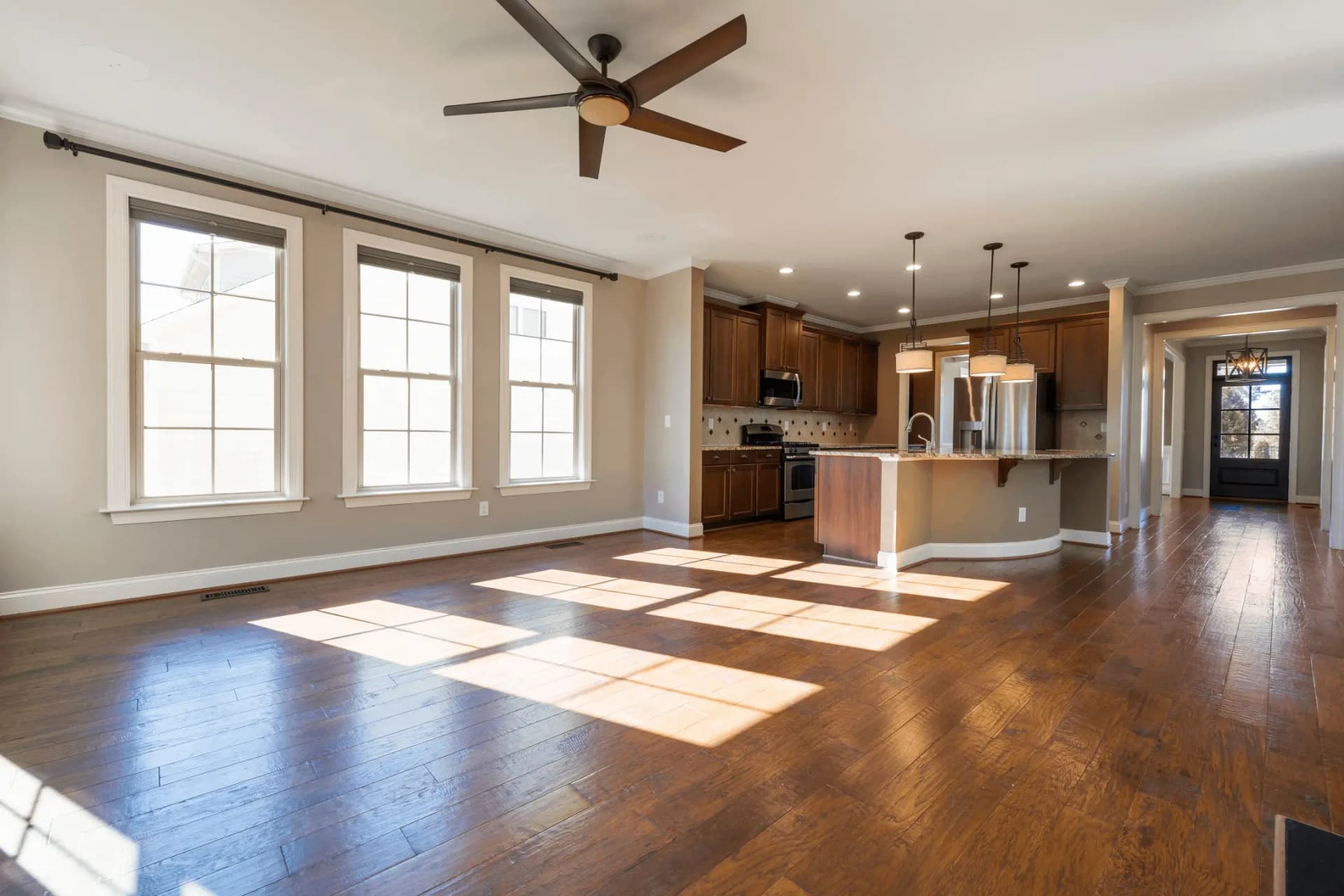
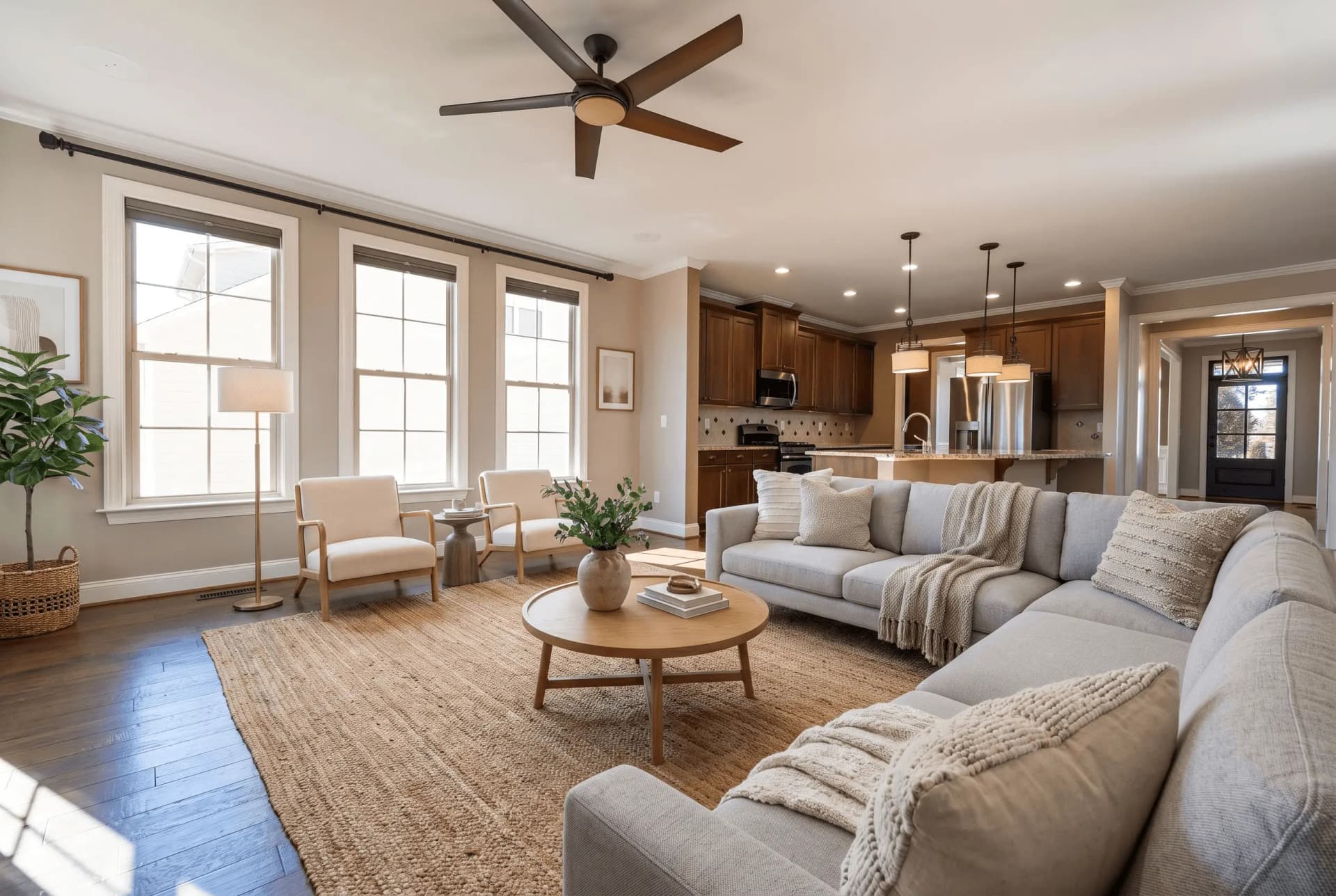
Drop in a photo of an empty room, pick a room type and a furniture style, and the furniture is placed inside your own frame — same camera, same windows, same floor.
JPG, PNG or WEBP · Max 15 MB
- What a run costs
- 1 credit per variant, and a run defaults to 2
- How long it takes
- About 45 seconds — the median of 73 production runs
- Signed out
- Not available — staging needs an account
Qu'est-ce que le staging virtuel ?
Le staging virtuel consiste à meubler numériquement la photo d'une pièce vide pour que l'acheteur perçoive le potentiel de l'espace. Les outils d'IA le font à partir d'une seule photo en 45 secondes environ, pour environ $0.45–$0.48 par image, contre $2 000 ou plus pour louer et installer de vrais meubles.
Dernière mise à jour:
Staging adds furniture to your photograph. It does not redraw your property.
The failure that matters in this category is not ugly furniture — it is a beautiful photo of a room nobody can walk into: a camera that moved, a window that was never there, a floor that changed colour. Three locks in every prompt exist to stop exactly that, and they are the part worth checking before you buy anything here.
- 01The camera never moves
- Same height, same direction, same focal length, same vanishing points. The model may not pan, tilt, zoom or reframe, and may not render any part of the room your photo does not already show.
- 02Nothing structural moves
- Walls, windows, doors, ceiling and fixed fixtures stay as photographed. An instruction to knock a wall through or add a window is rejected before the prompt is built, whoever types it.
- 03The floor stays the floor
- Same material, colour, finish and reflectivity across the whole frame. Changing flooring or wall colour is renovation rather than staging, and it is a different tool with a different disclosure.
- 04A drifted render is re-run free
- Quality control measures the result against your upload and buys one regeneration when the architecture moved. It never refuses to deliver a photo, and the retry costs no credit.
A staged photo is a digitally altered listing image under California's AB 723 — furniture that is not in the house is the clearest case the statute covers. The listing needs a conspicuous notice and a link or QR code to the unaltered original. See the disclosure rules by state
How AI virtual staging works
- 01
Upload the empty room
Any JPG, PNG or WEBP up to 15 MB. A wide shot showing the floor and at least two walls gives the model the depth cues it scales furniture against.
- 02
Pick the room type and the style
Twelve room types and fourteen furniture styles. The room type decides which pieces belong and where the focal piece goes; the style decides the materials they are made of.
- 03
Compare it against your original
Drag the handle across your own upload before you publish: the windows, the fixtures and the floor should be untouched. Then download at 2K and disclose the photo as altered.
Which photo you have, and what to run
Most bad staging is the right tool pointed at the wrong photograph. This is the routing table.
| What you have | Which photo you have, and what to run | What comes back |
|---|---|---|
| Empty roomstandard | Pick a room type and one of fourteen styles. The furniture is placed into your frame and nothing else is redrawn. | Two staged variants by default, 2K JPG, at the upload's own aspect ratio. |
| Furnished roomtwo runs | Declutter it first, then stage the emptied frame. Tools that only add furniture stack new pieces on top of the old ones — that is where doubled sofas come from. | Two separate runs, charged separately: the declutter, then the staging. |
| Several anglesmulti-angle | Stage one shot, then hand that result back as the anchor for the rest. The model is told to transfer the same pieces, not to invent a second set. | 1 credit per variant per angle, with the same furniture recognisable from every viewpoint. |
| 360° panoramaother tool | An equirectangular 2:1 frame is staged as one sphere with the wrap seam closed, so it holds together when you turn all the way around. | 1 credit — a panorama is always a single render. |
Every row costs 1 credit per variant, and the variant picker opens on 2. A free account takes no card and comes with 3 credits; after those, credits work out to $0.45 per photo depending on pack size and they never expire. Signed out, nothing renders — the studio shows a sign-up wall rather than spending a GPU on an anonymous request.
Every room type, every style
Staging is tuned per room — a kitchen is not furnished like a bedroom. Open the room you are working on to see what the model does with it.
Available styles
Moderne · Scandinave · Industriel · Minimaliste · Contemporain · Bohème · Moderne du Milieu du Siècle · Japandi · Côtier · Transitionnel · Luxe · Maison de Campagne · Rustique · Traditionnel
Mise en scène virtuelle vs mise en scène réelle
Les deux montrent des meubles à l'acheteur. Une seule en met dans la maison.
| Mise en scène virtuelle IA | Mise en scène retouchée à la main | Mise en scène physique | |
|---|---|---|---|
| Coût par photo | $0.45–$0.48 par image | ≈$39.50 par image | 2 000–5 000 $+ par bien |
| Délai | ~45 secondes | 24–72 heures | De quelques jours à quelques semaines |
| Ce que cela change | Les photos de l'annonce | Les photos de l'annonce | La pièce elle-même |
| Divulgation requise | Oui | Oui | Non |
Virtual staging questions, answered
The questions people actually search for, each answered with the number behind it.
Combien coûte le staging virtuel ?
Le staging virtuel par IA coûte environ $0.45–$0.48 par image. Les services retouchés par des humains comme BoxBrownie et VirtualStaging.com facturent $24 à $30 par image pour le même rendu. Le staging physique traditionnel coûte $2 000 à $5 000 ou plus par bien, plus la location mensuelle du mobilier.
Le staging virtuel est-il meilleur que le staging réel ?
Ils répondent à deux besoins différents. Le staging réel modifie ce que le visiteur ressent dans la pièce ; le staging virtuel ne modifie que les photos de l'annonce. Il coûte une fraction du prix et est prêt en quelques secondes, ce qui convient aux biens vacants dont le budget ou le calendrier exclut la location de meubles.
Faut-il déclarer le staging virtuel ?
En Californie, oui. Le Business & Professions Code § 10140.8, introduit par l'AB 723, impose une mention visible sur les photos d'annonce modifiées numériquement ainsi qu'un lien ou un QR code vers l'original non retouché. Nous avons examiné 297 annonces californiennes qui reconnaissent que leurs photos ont été modifiées : 294 n'offrent aucun lien public vers l'original.
Peut-on faire du staging virtuel sur une pièce déjà meublée ?
Oui, mais en deux étapes. Il faut d'abord retirer le mobilier existant, puis meubler à nouveau la pièce vide. Les outils qui se contentent d'ajouter des meubles posent les nouveaux éléments par-dessus les anciens : c'est pourquoi le désencombrement et l'aménagement sont deux opérations distinctes.
Combien de temps prend le staging virtuel ?
Une photo meublée revient en 45 secondes environ. C'est la médiane de 73 exécutions de production terminées, et neuf sur dix aboutissent en moins de 82 secondes. L'IA part d'une seule photographie, sans visite ni livraison : la limite est le temps de calcul, pas le planning. Les services retouchés par des humains annoncent 24 à 72 heures, et le staging physique demande des jours voire des semaines.
Existe-t-il un outil de staging virtuel gratuit ?
QuickStaging offre 3 crédits gratuits à chaque compte vérifié, sans carte. Un crédit produit une variante et une exécution en génère 2 par défaut : les crédits gratuits couvrent donc une exécution complète avec une réserve, ou 3 photos distinctes à une variante chacune. Les crédits n'expirent jamais.
Virtual staging glossary
The terms that come up in listing photography and staging briefs.
- Mise en scène virtuelle
- Le processus de meubler et décorer numériquement des photos de propriétés vides à l'aide de logiciels ou de technologie IA pour aider les acheteurs potentiels à visualiser le potentiel de l'espace.
- Home Staging
- Mise en scène physique traditionnelle où de vrais meubles et articles de décoration sont temporairement placés dans une propriété pour la rendre plus attrayante. Contrairement à la mise en scène virtuelle, cela implique de vrais meubles et coûte beaucoup plus cher.
- Staging par IA
- Mise en scène virtuelle alimentée par l'intelligence artificielle qui peut automatiquement meubler des pièces, assortir les styles de design et créer des résultats photoréalistes en quelques secondes.
- Photo d'annonce
- Photographies professionnelles utilisées pour commercialiser un bien immobilier à vendre ou à louer sur des plateformes comme Zillow, Realtor.com ou les annonces MLS. Des photos de qualité peuvent augmenter l'intérêt des acheteurs jusqu'à 60%.
- MLS (Multiple Listing Service)
- Une base de données utilisée par les courtiers immobiliers pour partager des informations sur les propriétés à vendre. Les annonces MLS incluent généralement des photos, descriptions, prix et détails de la propriété. La mise en scène virtuelle peut faire ressortir les annonces MLS.
- Rendu
- L'image finale produite par le logiciel de mise en scène virtuelle. Un rendu de haute qualité doit avoir un aspect photoréaliste et mélanger parfaitement les meubles virtuels avec la photo originale de la pièce.
- Délai de livraison
- Le temps entre la soumission des photos et la réception des images finales de mise en scène virtuelle. Les services traditionnels prennent 24 à 48 heures, tandis que les plateformes alimentées par l'IA comme QuickStaging livrent des résultats en 45 secondes environ.
- Photoréaliste
- Une mise en scène qui se lit comme une photographie et non comme un rendu : mobilier à une échelle plausible, ombres cohérentes avec la lumière de la pièce, perspective de la caméra inchangée. C'est l'objectif, pas une garantie — comparez chaque résultat à votre original avant publication.
- Propriété vacante
- Un bien non meublé, sans mobilier ni décoration. L'acheteur juge l'échelle d'une pièce d'après ce qu'elle contient ; une pièce vide ne lui donne aucun repère. C'est précisément l'écart que la mise en scène virtuelle cherche à combler.
- Style de design
- L'approche esthétique utilisée dans la mise en scène virtuelle, comme Moderne, Minimaliste, Industriel, Scandinave ou Traditionnel. Choisir le bon style pour votre cible démographique d'acheteurs augmente l'engagement.
Terms, limits and edge cases
The questions above answer what virtual staging is. These answer what this one does.
Which rooms and styles can I stage?
Twelve room types — living room, bedroom, dining room, kitchen, bathroom, home office, kids' room, entryway, plus restaurant, hotel, retail and commercial office — in fourteen furniture styles from Modern and Scandinavian through Japandi, Coastal, Farmhouse and Luxury. Seven of the residential room types have their own guide page, linked above.
What resolution does the staged photo come back at?
2K, as a JPG, at the aspect ratio of what you uploaded. There is no watermark on a staged download — staging runs only for signed-in accounts, so there is no anonymous tier to stamp.
What happens if the furniture comes back wrong?
Quality control compares the result to your upload and re-runs it once at no charge when the room itself drifted. Beyond that you can re-run for 1 credit per variant, or brush over one area and regenerate just that part instead of the whole frame.
Can I keep the same furniture across several photos of one room?
Yes — that is what multi-angle staging is for. Stage the first shot, then feed it back as the anchor and the model transfers the same pieces into the next viewpoint rather than furnishing the room again from scratch. Each angle is still 1 credit per variant.
Do I need design or Photoshop skills?
No. Pick the room type and the style; furniture selection, placement, scale and lighting are handled from the photograph. The only judgement asked of you is which style suits the buyer you are selling to.
What image formats and file sizes are supported?
JPG, PNG and WEBP up to 15 MB. iPhone HEIC photos need exporting or converting to JPG first. Panoramas go through the 360° tool instead, where the 2:1 ratio matters.
Does QuickStaging label the photo as staged for me?
No — the file comes back clean, because the notice belongs in the listing where the photo is published, not burned into the pixels. Our disclosure page carries wording that satisfies the statute, and the AB 723 checker tells you whether a live listing already meets both halves of it.
Can I stage a 360° panorama?
Yes, through the 360° staging tool rather than this one. It takes a 2:1 equirectangular frame, stages the whole sphere in a single render with the wrap seam closed, and costs 1 credit because a panorama is never split into variants.
Disclosing altered photos
Since January 1, 2026, California's AB 723 has required a visible disclosure and a link to the original photo on digitally altered listing images. Edits that change how a property looks are covered; routine colour and exposure fixes are not.
Where this tool fits
Every tool here does one part of the same job. This is the order the parts come in.
- 1
Check what you shot
Find out which photos need work before you spend anything on them.
- 2
Fix the photograph
Exposure, sky, lawn, and anything in the frame that should not be there.
Améliorateur d'images IA, Convertisseur Jour-Crépuscule, Remplacement de ciel IA, Fusion d'Expositions, IA Désencombrement, Suppresseur d'objets IA, IA Verdissement de pelouse, Redresser les photos
- 3
Show what it could be
You are here
Furnish an empty room, change the finishes, or stage a full 360° panorama.
Mise en scène virtuelle, Staging multi-angle, Staging virtuel 360°, Rénovation Virtuelle IA
- 4
Build the listing
The two things on a listing page that are not photographs.
- 5
Take it to market
Video, print, and the front door of an open house.
Créateur de Flyers Immobiliers, Fiche de présence portes ouvertes, Vidéo de Révélation Avant & Après, Vidéo de Visite
One photo is not the whole listing
The same upload can go through sky replacement, day-to-dusk, decluttering and the lawn tool, then out as listing copy, social posts and a print flyer. It is one studio, not eight.
Open the Studio3 crédits gratuits pour commencer, puis $0.45 par photo. Les crédits n'expirent jamais. Voir les tarifs