
AI virtual staging furnishes an empty room
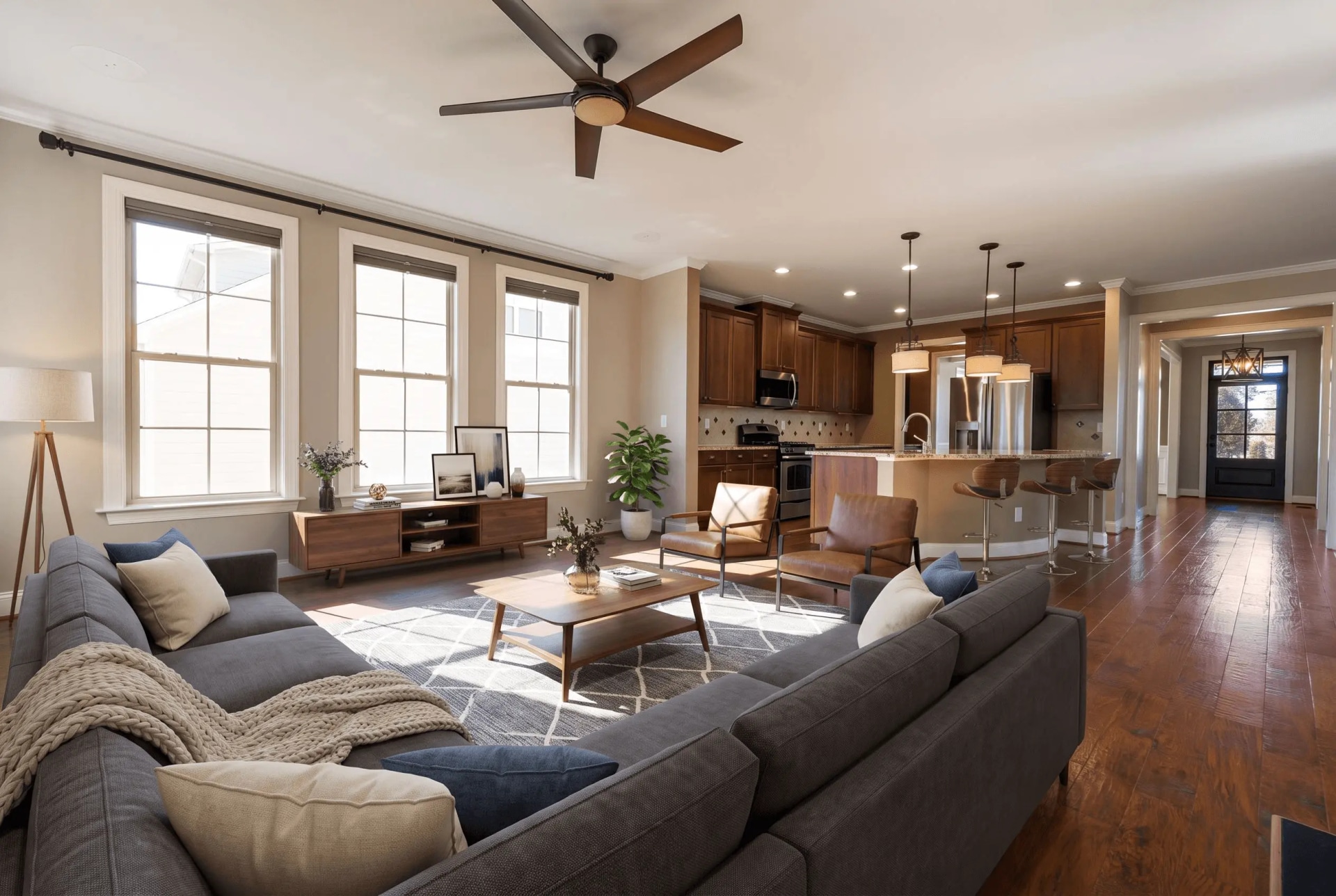
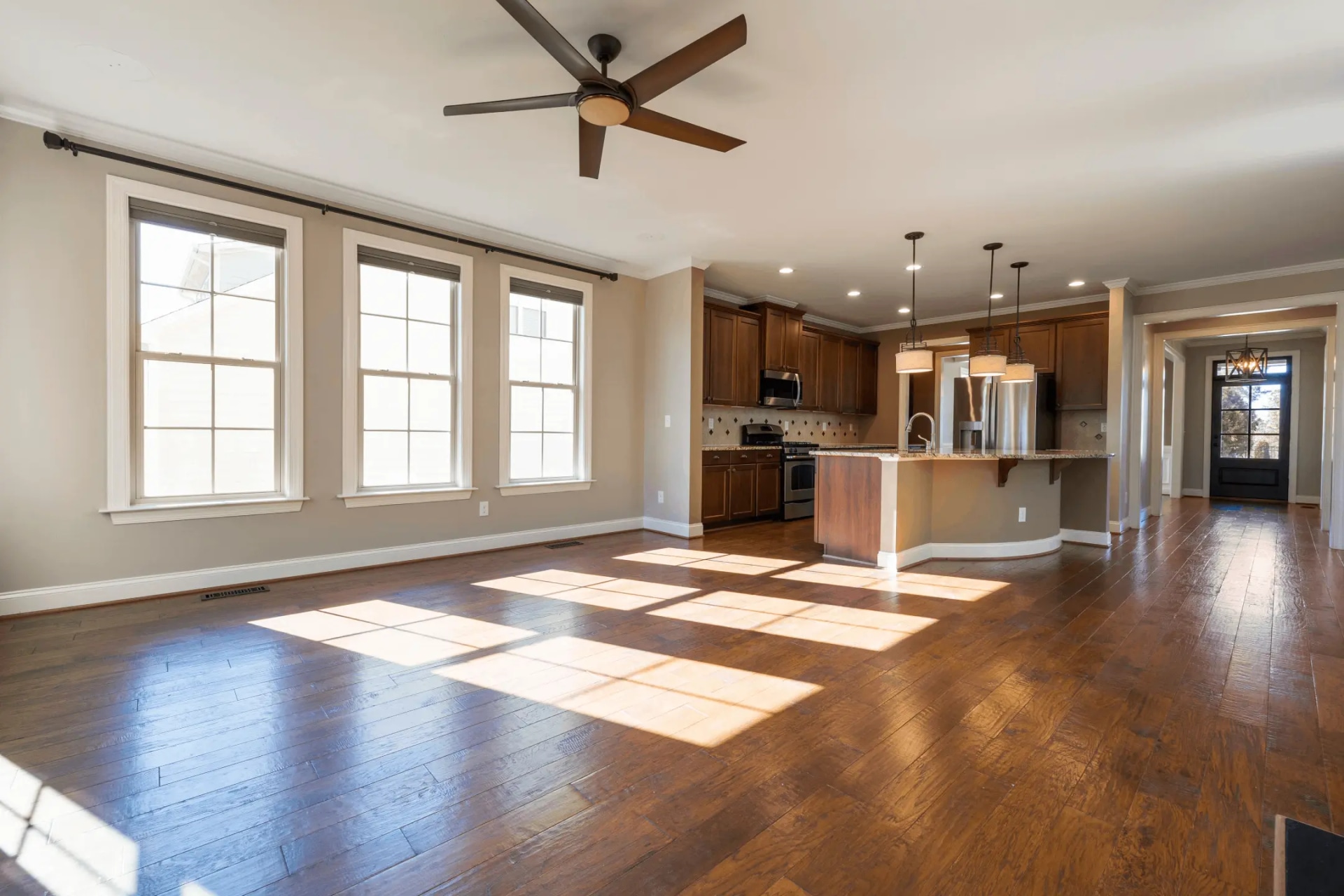
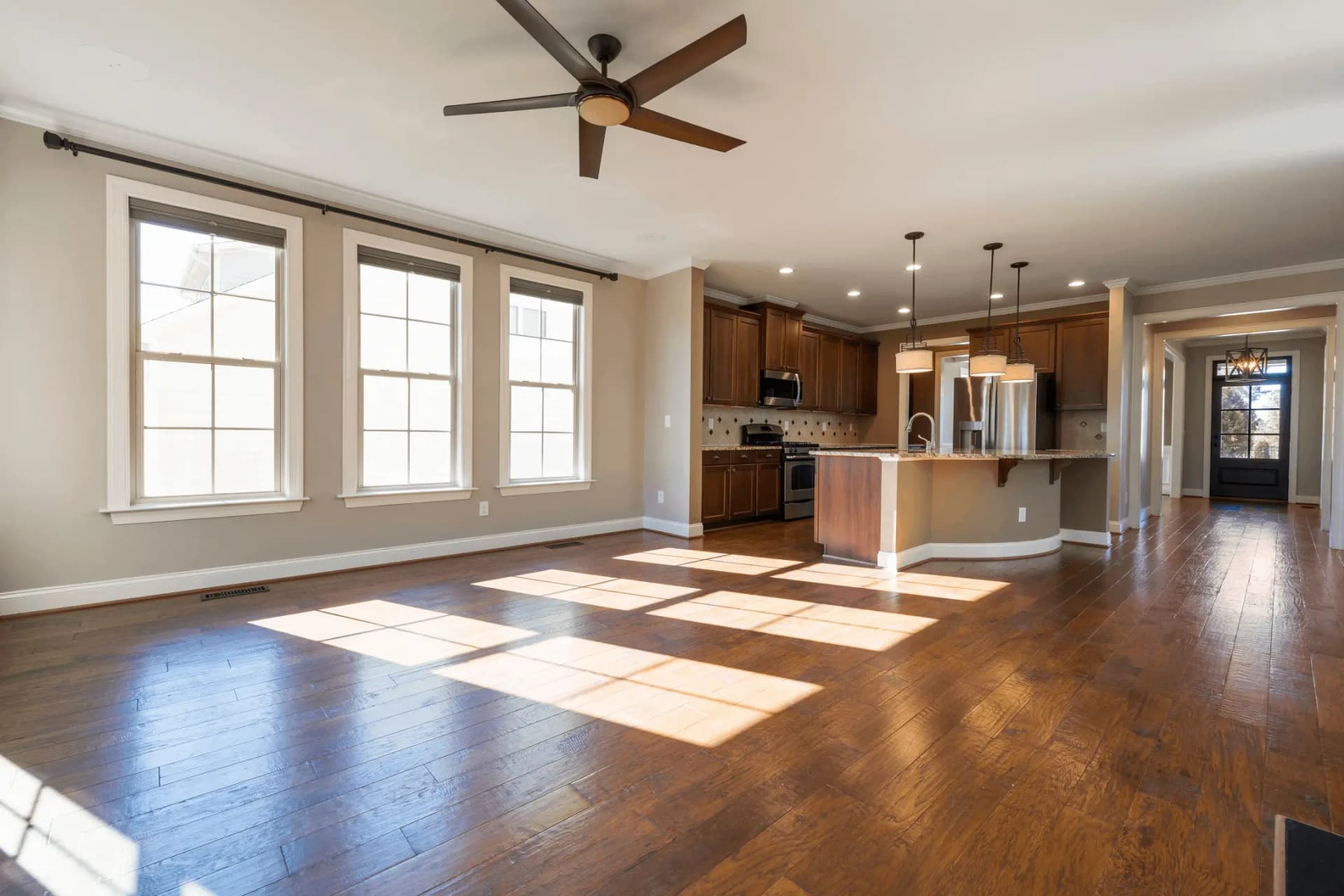
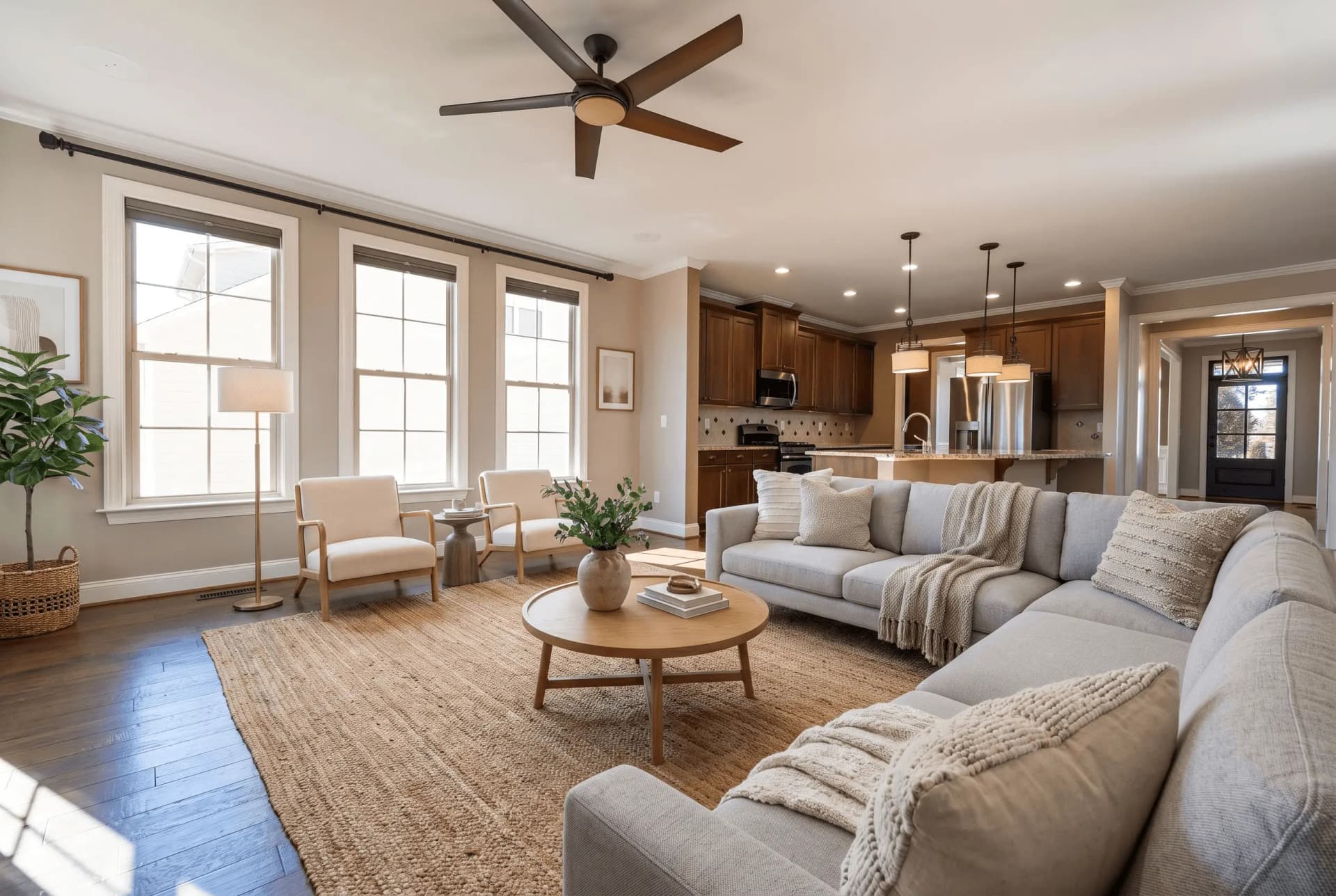
Drop in a photo of an empty room, pick a room type and a furniture style, and the furniture is placed inside your own frame — same camera, same windows, same floor.
JPG, PNG or WEBP · Max 15 MB
- What a run costs
- 1 credit per variant, and a run defaults to 2
- How long it takes
- About 45 seconds — the median of 73 production runs
- Signed out
- Not available — staging needs an account
O que é decoração virtual?
Decoração virtual é o processo de mobiliar digitalmente a foto de um cômodo vazio para que o comprador enxergue o potencial do espaço. Ferramentas de IA fazem isso a partir de uma única foto em cerca de 45 segundos, por aproximadamente $0.45–$0.48 por imagem, contra $2.000 ou mais para alugar e posicionar móveis reais.
Última atualização:
Staging adds furniture to your photograph. It does not redraw your property.
The failure that matters in this category is not ugly furniture — it is a beautiful photo of a room nobody can walk into: a camera that moved, a window that was never there, a floor that changed colour. Three locks in every prompt exist to stop exactly that, and they are the part worth checking before you buy anything here.
- 01The camera never moves
- Same height, same direction, same focal length, same vanishing points. The model may not pan, tilt, zoom or reframe, and may not render any part of the room your photo does not already show.
- 02Nothing structural moves
- Walls, windows, doors, ceiling and fixed fixtures stay as photographed. An instruction to knock a wall through or add a window is rejected before the prompt is built, whoever types it.
- 03The floor stays the floor
- Same material, colour, finish and reflectivity across the whole frame. Changing flooring or wall colour is renovation rather than staging, and it is a different tool with a different disclosure.
- 04A drifted render is re-run free
- Quality control measures the result against your upload and buys one regeneration when the architecture moved. It never refuses to deliver a photo, and the retry costs no credit.
A staged photo is a digitally altered listing image under California's AB 723 — furniture that is not in the house is the clearest case the statute covers. The listing needs a conspicuous notice and a link or QR code to the unaltered original. See the disclosure rules by state
How AI virtual staging works
- 01
Upload the empty room
Any JPG, PNG or WEBP up to 15 MB. A wide shot showing the floor and at least two walls gives the model the depth cues it scales furniture against.
- 02
Pick the room type and the style
Twelve room types and fourteen furniture styles. The room type decides which pieces belong and where the focal piece goes; the style decides the materials they are made of.
- 03
Compare it against your original
Drag the handle across your own upload before you publish: the windows, the fixtures and the floor should be untouched. Then download at 2K and disclose the photo as altered.
Which photo you have, and what to run
Most bad staging is the right tool pointed at the wrong photograph. This is the routing table.
| What you have | Which photo you have, and what to run | What comes back |
|---|---|---|
| Empty roomstandard | Pick a room type and one of fourteen styles. The furniture is placed into your frame and nothing else is redrawn. | Two staged variants by default, 2K JPG, at the upload's own aspect ratio. |
| Furnished roomtwo runs | Declutter it first, then stage the emptied frame. Tools that only add furniture stack new pieces on top of the old ones — that is where doubled sofas come from. | Two separate runs, charged separately: the declutter, then the staging. |
| Several anglesmulti-angle | Stage one shot, then hand that result back as the anchor for the rest. The model is told to transfer the same pieces, not to invent a second set. | 1 credit per variant per angle, with the same furniture recognisable from every viewpoint. |
| 360° panoramaother tool | An equirectangular 2:1 frame is staged as one sphere with the wrap seam closed, so it holds together when you turn all the way around. | 1 credit — a panorama is always a single render. |
Every row costs 1 credit per variant, and the variant picker opens on 2. A free account takes no card and comes with 3 credits; after those, credits work out to $0.45 per photo depending on pack size and they never expire. Signed out, nothing renders — the studio shows a sign-up wall rather than spending a GPU on an anonymous request.
Every room type, every style
Staging is tuned per room — a kitchen is not furnished like a bedroom. Open the room you are working on to see what the model does with it.
Available styles
Moderno · Escandinavo · Industrial · Minimalista · Contemporâneo · Boho · Moderno do Meio do Século · Japandi · Costeiro · Transicional · Luxo · Casa de Campo · Rústico · Tradicional
Decoração virtual vs decoração real
As duas colocam móveis diante do comprador. Só uma coloca móveis na casa.
| Decoração virtual com IA | Decoração editada por pessoas | Decoração física | |
|---|---|---|---|
| Custo por foto | $0.45–$0.48 por imagem | ≈$39.50 por imagem | $2.000–$5.000+ por imóvel |
| Prazo | ~45 segundos | 24–72 horas | De dias a semanas |
| O que muda | As fotos do anúncio | As fotos do anúncio | O próprio cômodo |
| Exige divulgação | Sim | Sim | Não |
Virtual staging questions, answered
The questions people actually search for, each answered with the number behind it.
Quanto custa a decoração virtual?
A decoração virtual com IA custa cerca de $0.45–$0.48 por imagem. Serviços editados por pessoas, como BoxBrownie e VirtualStaging.com, cobram de $24 a $30 por imagem pelo mesmo resultado. A decoração física tradicional custa de $2.000 a $5.000 ou mais por imóvel, além do aluguel mensal dos móveis.
Decoração virtual é melhor que decoração real?
Elas resolvem problemas diferentes. A decoração real muda o que o visitante sente dentro do imóvel; a virtual muda apenas as fotos do anúncio. A virtual custa uma fração do valor e fica pronta em segundos, então serve para imóveis vazios em que o orçamento ou o prazo inviabiliza alugar móveis.
É obrigatório informar que a foto foi decorada virtualmente?
Na Califórnia, sim. O Business & Professions Code § 10140.8, acrescentado pela AB 723, exige um aviso visível nas fotos de anúncio alteradas digitalmente e um link ou QR code para a imagem original. Analisamos 297 anúncios da Califórnia que admitem que suas fotos foram alteradas: 294 não oferecem nenhum link público para o original.
Dá para decorar virtualmente um cômodo já mobiliado?
Sim, mas em duas etapas. Primeiro os móveis existentes precisam ser removidos e depois o cômodo vazio é mobiliado de novo. Ferramentas que apenas adicionam móveis colocam as peças novas sobre as antigas — por isso remover objetos e decorar são operações separadas.
Quanto tempo leva a decoração virtual?
A foto decorada volta em cerca de 45 segundos. É a mediana de 73 execuções de produção concluídas, e nove em cada dez terminam em menos de 82 segundos. A IA parte de uma única fotografia, sem visita e sem entrega física, então o limite é tempo de GPU e não agenda. Serviços editados por pessoas indicam de 24 a 72 horas, e a decoração física leva dias ou semanas.
Existe uma ferramenta de decoração virtual grátis?
A QuickStaging dá 3 créditos grátis a cada conta verificada, sem cartão. Um crédito gera uma variante e uma execução produz 2 por padrão, então os créditos grátis cobrem uma execução completa com uma sobra, ou 3 fotos separadas com uma variante cada. Créditos não expiram.
Virtual staging glossary
The terms that come up in listing photography and staging briefs.
- Decoração Virtual
- O processo de mobiliar e decorar digitalmente fotos de propriedades vazias usando software ou tecnologia de IA para ajudar compradores potenciais a visualizar o potencial do espaço.
- Home Staging
- Home staging físico tradicional onde móveis e itens de decoração reais são temporariamente colocados em uma propriedade para torná-la mais atraente. Diferente do staging virtual, envolve móveis reais e custa significativamente mais.
- Staging com IA
- Decoração virtual alimentada por inteligência artificial que pode mobiliar automaticamente cômodos, combinar estilos de design e criar resultados fotorrealistas em segundos.
- Foto de Anúncio
- Fotografias profissionais usadas para comercializar um imóvel à venda ou para aluguel em plataformas como Zillow, Realtor.com ou anúncios MLS. Fotos de alta qualidade podem aumentar o interesse dos compradores em até 60%.
- MLS (Multiple Listing Service)
- Um banco de dados usado por corretores de imóveis para compartilhar informações sobre propriedades à venda. Os anúncios MLS geralmente incluem fotos, descrições, preços e detalhes da propriedade. A decoração virtual pode fazer os anúncios MLS se destacarem.
- Render
- A imagem final processada produzida pelo software de decoração virtual. Um render de alta qualidade deve parecer fotorrealista e mesclar perfeitamente os móveis virtuais com a foto original do cômodo.
- Tempo de Entrega
- O tempo desde o envio das fotos até o recebimento das imagens finais de decoração virtual. Serviços tradicionais levam 24-48 horas, enquanto plataformas com IA como QuickStaging entregam resultados em cerca de 45 segundos.
- Fotorrealista
- Decoração que se lê como fotografia e não como render: móveis em escala plausível, sombras coerentes com a luz do próprio cômodo e a perspectiva da câmera intacta. É o objetivo, não uma garantia — compare cada resultado com o seu original antes de publicar.
- Propriedade Vazia
- Um imóvel sem mobília ou decoração. O comprador avalia a escala de um cômodo pelo que há dentro dele, e um cômodo vazio não lhe dá nenhuma referência — é essa a lacuna que a decoração virtual pretende fechar.
- Estilo de Design
- A abordagem estética usada na decoração virtual, como Moderno, Minimalista, Industrial, Escandinavo ou Tradicional. Escolher o estilo certo para seu público-alvo de compradores aumenta o engajamento.
Terms, limits and edge cases
The questions above answer what virtual staging is. These answer what this one does.
Which rooms and styles can I stage?
Twelve room types — living room, bedroom, dining room, kitchen, bathroom, home office, kids' room, entryway, plus restaurant, hotel, retail and commercial office — in fourteen furniture styles from Modern and Scandinavian through Japandi, Coastal, Farmhouse and Luxury. Seven of the residential room types have their own guide page, linked above.
What resolution does the staged photo come back at?
2K, as a JPG, at the aspect ratio of what you uploaded. There is no watermark on a staged download — staging runs only for signed-in accounts, so there is no anonymous tier to stamp.
What happens if the furniture comes back wrong?
Quality control compares the result to your upload and re-runs it once at no charge when the room itself drifted. Beyond that you can re-run for 1 credit per variant, or brush over one area and regenerate just that part instead of the whole frame.
Can I keep the same furniture across several photos of one room?
Yes — that is what multi-angle staging is for. Stage the first shot, then feed it back as the anchor and the model transfers the same pieces into the next viewpoint rather than furnishing the room again from scratch. Each angle is still 1 credit per variant.
Do I need design or Photoshop skills?
No. Pick the room type and the style; furniture selection, placement, scale and lighting are handled from the photograph. The only judgement asked of you is which style suits the buyer you are selling to.
What image formats and file sizes are supported?
JPG, PNG and WEBP up to 15 MB. iPhone HEIC photos need exporting or converting to JPG first. Panoramas go through the 360° tool instead, where the 2:1 ratio matters.
Does QuickStaging label the photo as staged for me?
No — the file comes back clean, because the notice belongs in the listing where the photo is published, not burned into the pixels. Our disclosure page carries wording that satisfies the statute, and the AB 723 checker tells you whether a live listing already meets both halves of it.
Can I stage a 360° panorama?
Yes, through the 360° staging tool rather than this one. It takes a 2:1 equirectangular frame, stages the whole sphere in a single render with the wrap seam closed, and costs 1 credit because a panorama is never split into variants.
Disclosing altered photos
Since January 1, 2026, California's AB 723 has required a visible disclosure and a link to the original photo on digitally altered listing images. Edits that change how a property looks are covered; routine colour and exposure fixes are not.
Where this tool fits
Every tool here does one part of the same job. This is the order the parts come in.
- 1
Check what you shot
Find out which photos need work before you spend anything on them.
- 2
Fix the photograph
Exposure, sky, lawn, and anything in the frame that should not be there.
Aprimorador de Imagem com IA, Conversor Dia-Entardecer, Substituição de Céu com IA, Fusão de Exposições, IA Desorganizar, Removedor de Objetos com IA, IA Grama Mais Verde, Endireitar fotos
- 3
Show what it could be
You are here
Furnish an empty room, change the finishes, or stage a full 360° panorama.
Staging Virtual, Staging multiângulo, Staging Virtual 360°, Renovação Virtual com IA
- 4
Build the listing
The two things on a listing page that are not photographs.
- 5
Take it to market
Video, print, and the front door of an open house.
Criador de Flyers Imobiliários, Ficha de Visita Open House, Vídeo de Revelação Antes e Depois, Vídeo Tour do Imóvel
One photo is not the whole listing
The same upload can go through sky replacement, day-to-dusk, decluttering and the lawn tool, then out as listing copy, social posts and a print flyer. It is one studio, not eight.
Open the Studio3 créditos grátis para começar, depois $0.45 por foto. Os créditos nunca expiram. Ver preços