
AI virtual staging furnishes an empty room
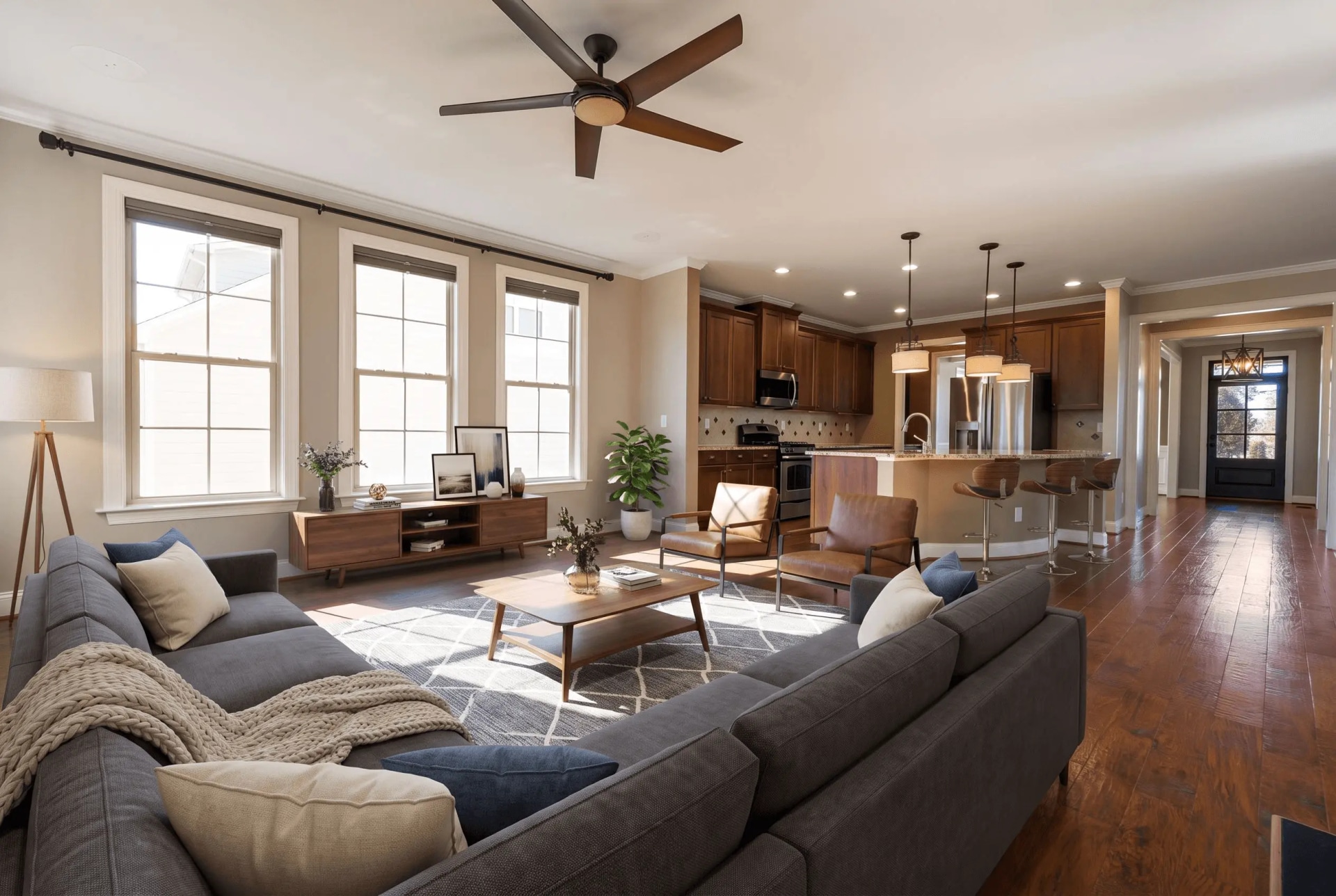
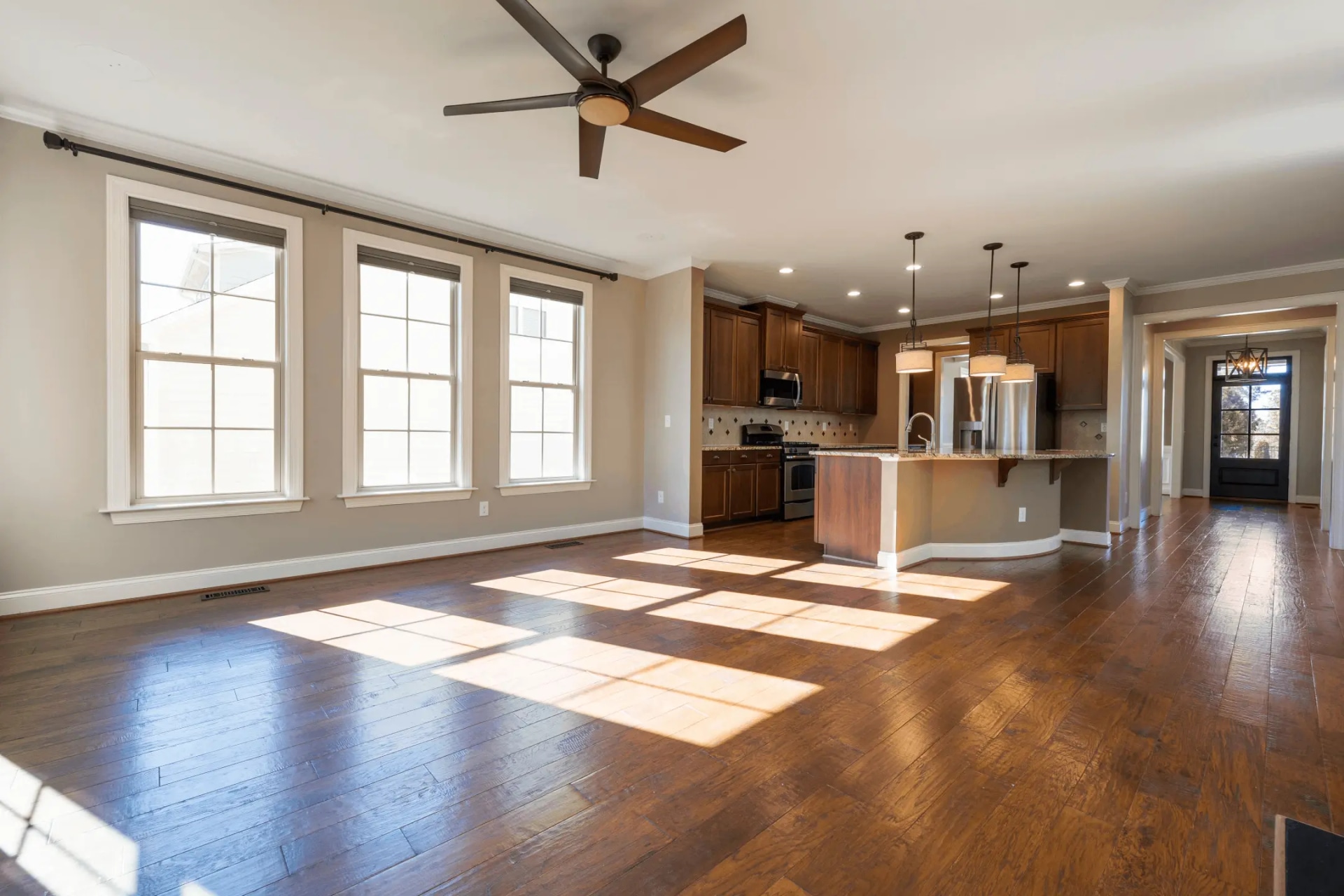
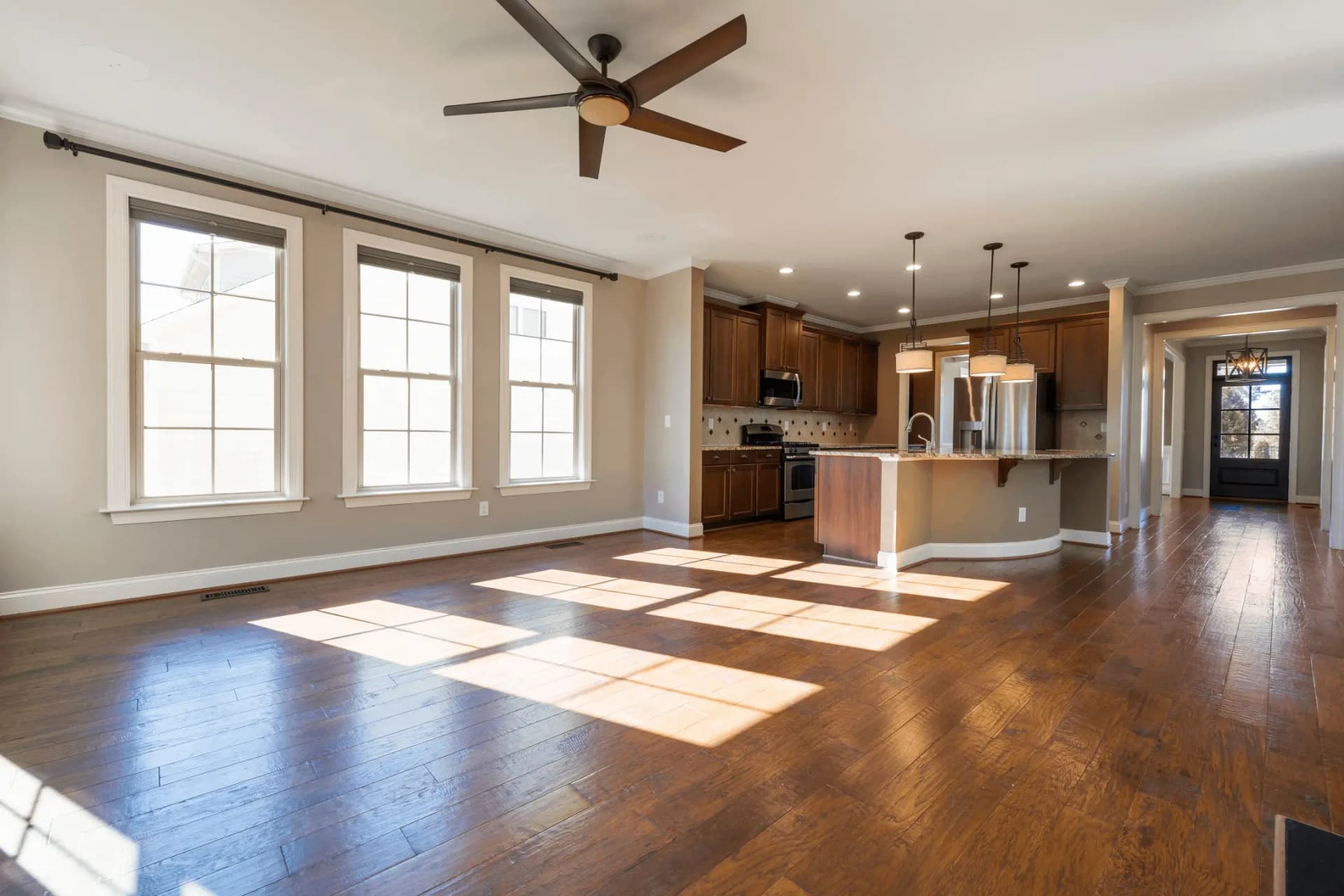
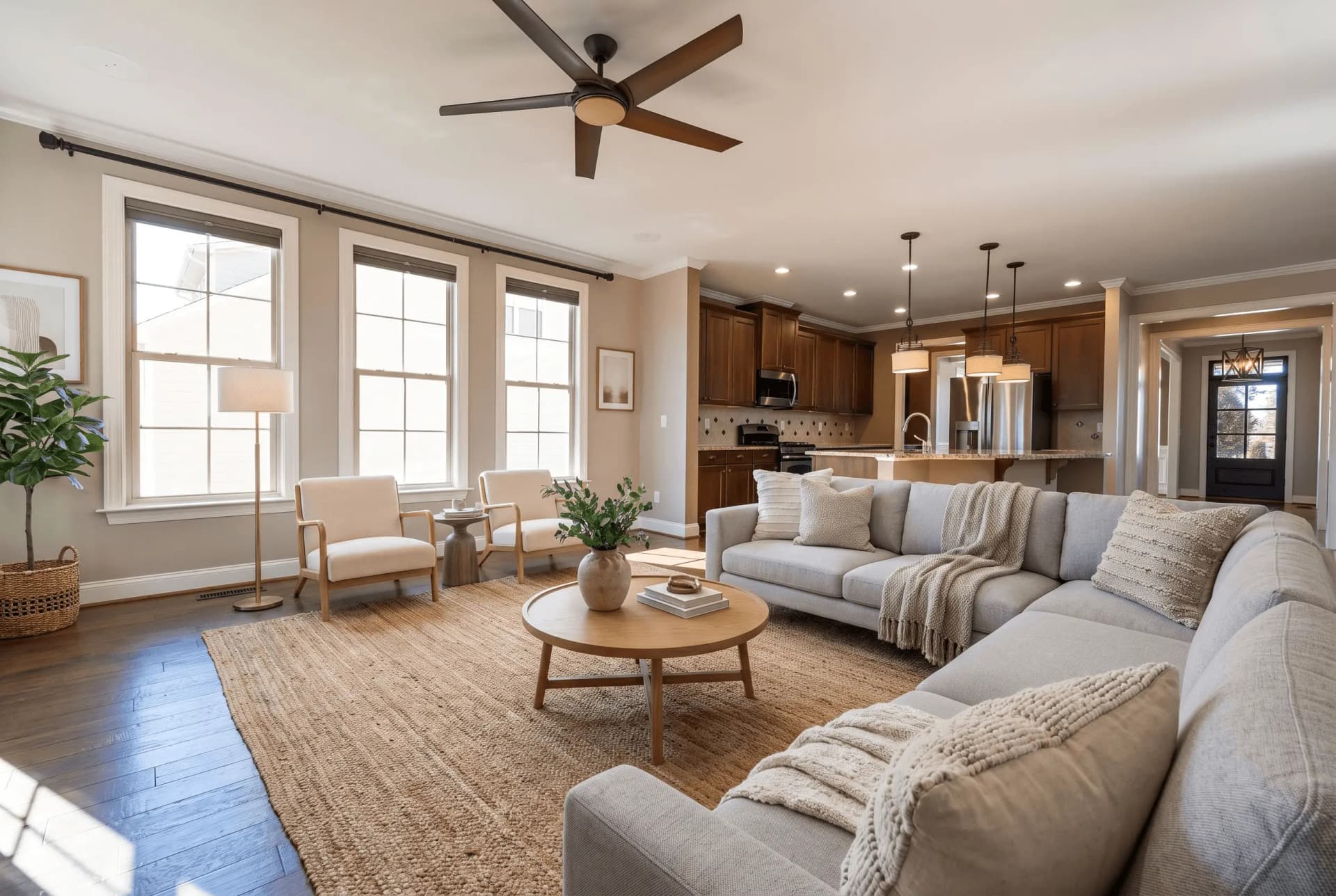
Drop in a photo of an empty room, pick a room type and a furniture style, and the furniture is placed inside your own frame — same camera, same windows, same floor.
JPG, PNG or WEBP · Max 15 MB
- What a run costs
- 1 credit per variant, and a run defaults to 2
- How long it takes
- About 45 seconds — the median of 73 production runs
- Signed out
- Not available — staging needs an account
Che cos'è il virtual staging?
Il virtual staging è il processo di arredare digitalmente la foto di una stanza vuota perché l'acquirente veda il potenziale dello spazio. Gli strumenti di IA lo fanno da una sola fotografia in circa 45 secondi, a circa $0.45–$0.48 per immagine, contro $2.000 o più per noleggiare e posizionare mobili veri.
Ultimo aggiornamento:
Staging adds furniture to your photograph. It does not redraw your property.
The failure that matters in this category is not ugly furniture — it is a beautiful photo of a room nobody can walk into: a camera that moved, a window that was never there, a floor that changed colour. Three locks in every prompt exist to stop exactly that, and they are the part worth checking before you buy anything here.
- 01The camera never moves
- Same height, same direction, same focal length, same vanishing points. The model may not pan, tilt, zoom or reframe, and may not render any part of the room your photo does not already show.
- 02Nothing structural moves
- Walls, windows, doors, ceiling and fixed fixtures stay as photographed. An instruction to knock a wall through or add a window is rejected before the prompt is built, whoever types it.
- 03The floor stays the floor
- Same material, colour, finish and reflectivity across the whole frame. Changing flooring or wall colour is renovation rather than staging, and it is a different tool with a different disclosure.
- 04A drifted render is re-run free
- Quality control measures the result against your upload and buys one regeneration when the architecture moved. It never refuses to deliver a photo, and the retry costs no credit.
A staged photo is a digitally altered listing image under California's AB 723 — furniture that is not in the house is the clearest case the statute covers. The listing needs a conspicuous notice and a link or QR code to the unaltered original. See the disclosure rules by state
How AI virtual staging works
- 01
Upload the empty room
Any JPG, PNG or WEBP up to 15 MB. A wide shot showing the floor and at least two walls gives the model the depth cues it scales furniture against.
- 02
Pick the room type and the style
Twelve room types and fourteen furniture styles. The room type decides which pieces belong and where the focal piece goes; the style decides the materials they are made of.
- 03
Compare it against your original
Drag the handle across your own upload before you publish: the windows, the fixtures and the floor should be untouched. Then download at 2K and disclose the photo as altered.
Which photo you have, and what to run
Most bad staging is the right tool pointed at the wrong photograph. This is the routing table.
| What you have | Which photo you have, and what to run | What comes back |
|---|---|---|
| Empty roomstandard | Pick a room type and one of fourteen styles. The furniture is placed into your frame and nothing else is redrawn. | Two staged variants by default, 2K JPG, at the upload's own aspect ratio. |
| Furnished roomtwo runs | Declutter it first, then stage the emptied frame. Tools that only add furniture stack new pieces on top of the old ones — that is where doubled sofas come from. | Two separate runs, charged separately: the declutter, then the staging. |
| Several anglesmulti-angle | Stage one shot, then hand that result back as the anchor for the rest. The model is told to transfer the same pieces, not to invent a second set. | 1 credit per variant per angle, with the same furniture recognisable from every viewpoint. |
| 360° panoramaother tool | An equirectangular 2:1 frame is staged as one sphere with the wrap seam closed, so it holds together when you turn all the way around. | 1 credit — a panorama is always a single render. |
Every row costs 1 credit per variant, and the variant picker opens on 2. A free account takes no card and comes with 3 credits; after those, credits work out to $0.45 per photo depending on pack size and they never expire. Signed out, nothing renders — the studio shows a sign-up wall rather than spending a GPU on an anonymous request.
Every room type, every style
Staging is tuned per room — a kitchen is not furnished like a bedroom. Open the room you are working on to see what the model does with it.
Available styles
Moderno · Scandinavo · Industriale · Minimalista · Contemporaneo · Boemo · Moderno Metà Secolo · Japandi · Costiero · Transizionale · Lusso · Casa Colonica · Rustico · Tradizionale
Virtual staging vs staging reale
Entrambi mettono mobili davanti all'acquirente. Solo uno li mette in casa.
| Virtual staging con IA | Staging rifinito da persone | Staging fisico | |
|---|---|---|---|
| Costo per foto | $0.45–$0.48 per immagine | ≈$39.50 per immagine | $2.000–$5.000+ per immobile |
| Tempi di consegna | ~45 secondi | 24–72 ore | Da giorni a settimane |
| Cosa cambia | Le foto dell'annuncio | Le foto dell'annuncio | La stanza stessa |
| Divulgazione obbligatoria | Sì | Sì | No |
Virtual staging questions, answered
The questions people actually search for, each answered with the number behind it.
Quanto costa il virtual staging?
Il virtual staging con IA costa circa $0.45–$0.48 per immagine. I servizi curati da persone come BoxBrownie e VirtualStaging.com chiedono da $24 a $30 per immagine per lo stesso risultato. Lo staging fisico tradizionale costa da $2.000 a $5.000 o più per immobile, più il noleggio mensile dei mobili.
Il virtual staging è meglio dello staging reale?
Risolvono problemi diversi. Lo staging reale cambia ciò che il visitatore percepisce nella stanza; il virtual staging cambia solo le foto dell'annuncio. Costa una frazione del prezzo ed è pronto in pochi secondi, quindi si adatta agli immobili vuoti in cui budget o tempi escludono il noleggio dei mobili.
È obbligatorio dichiarare il virtual staging?
In California sì. Il Business & Professions Code § 10140.8, introdotto dall'AB 723, richiede una dicitura visibile sulle foto degli annunci alterate digitalmente e un link o QR code all'originale non modificato. Abbiamo esaminato 297 annunci californiani che ammettono che le foto sono state alterate: 294 non offrono alcun link pubblico all'originale.
Si può fare virtual staging su una stanza già arredata?
Sì, ma in due passaggi. Prima vanno rimossi i mobili esistenti, poi la stanza vuota viene arredata di nuovo. Gli strumenti che si limitano ad aggiungere mobili sovrappongono i nuovi pezzi ai vecchi: per questo sgombero e arredamento sono operazioni distinte.
Quanto è veloce il virtual staging?
Una foto arredata torna in circa 45 secondi. È la mediana di 73 esecuzioni di produzione completate, e nove su dieci si concludono entro 82 secondi. L'IA parte da una sola fotografia, senza sopralluogo e senza consegna: il limite è il tempo di calcolo, non il calendario. I servizi ritoccati da persone indicano 24-72 ore, mentre lo staging fisico richiede giorni o settimane.
Esiste uno strumento di virtual staging gratuito?
QuickStaging offre 3 crediti gratuiti a ogni account verificato, senza carta. Un credito genera una variante e un'esecuzione ne produce 2 per impostazione predefinita: i crediti gratuiti coprono quindi un'esecuzione completa più una riserva, oppure 3 foto distinte con una variante ciascuna. I crediti non scadono.
Virtual staging glossary
The terms that come up in listing photography and staging briefs.
- Virtual Staging
- Il processo di arredare e decorare digitalmente le foto di proprietà vuote utilizzando software o tecnologia IA per aiutare i potenziali acquirenti a visualizzare il potenziale dello spazio.
- Home Staging
- Lo staging fisico tradizionale dove veri mobili e arredi vengono temporaneamente posizionati in una proprietà per renderla più attraente. A differenza del virtual staging, comporta mobili reali e costa significativamente di più.
- Staging con IA
- Virtual staging alimentato dall'intelligenza artificiale che può arredare automaticamente le stanze, abbinare stili di design e creare risultati fotorealistici in pochi secondi. Più avanzato dei metodi tradizionali di fotoritocco.
- Foto dell'Annuncio
- Fotografie professionali usate per commercializzare un immobile in vendita o affitto su piattaforme come Zillow, Realtor.com o annunci MLS. Foto di alta qualità possono aumentare l'interesse degli acquirenti fino al 60%.
- MLS (Multiple Listing Service)
- Un database usato dagli agenti immobiliari per condividere informazioni sulle proprietà in vendita. Gli annunci MLS includono tipicamente foto, descrizioni, prezzi e dettagli della proprietà. Il virtual staging può far risaltare gli annunci MLS.
- Render
- L'immagine finale elaborata prodotta dal software di virtual staging. Un render di alta qualità deve sembrare fotorealistico e fondere perfettamente i mobili virtuali con la foto originale della stanza.
- Tempo di Consegna
- Il tempo che intercorre dall'invio delle foto alla ricezione delle immagini finite con virtual staging. I servizi tradizionali richiedono 24-48 ore, mentre piattaforme con IA come QuickStaging consegnano risultati in circa 45 secondi.
- Fotorealistico
- Uno staging che si legge come una fotografia e non come un render: mobili in scala plausibile, ombre coerenti con la luce della stanza, prospettiva della camera invariata. È l'obiettivo, non una garanzia: confronta ogni risultato con l'originale prima di pubblicarlo.
- Proprietà Vuota
- Un immobile non arredato, senza mobili né decorazioni. L'acquirente valuta la scala di una stanza in base a ciò che contiene, e una stanza vuota non gli offre alcun riferimento: è proprio questo il divario che il virtual staging vuole colmare.
- Stile di Design
- L'approccio estetico usato nel virtual staging, come Moderno, Minimalista, Industriale, Scandinavo o Tradizionale. Scegliere lo stile giusto per il proprio pubblico target di acquirenti aumenta il coinvolgimento.
Terms, limits and edge cases
The questions above answer what virtual staging is. These answer what this one does.
Which rooms and styles can I stage?
Twelve room types — living room, bedroom, dining room, kitchen, bathroom, home office, kids' room, entryway, plus restaurant, hotel, retail and commercial office — in fourteen furniture styles from Modern and Scandinavian through Japandi, Coastal, Farmhouse and Luxury. Seven of the residential room types have their own guide page, linked above.
What resolution does the staged photo come back at?
2K, as a JPG, at the aspect ratio of what you uploaded. There is no watermark on a staged download — staging runs only for signed-in accounts, so there is no anonymous tier to stamp.
What happens if the furniture comes back wrong?
Quality control compares the result to your upload and re-runs it once at no charge when the room itself drifted. Beyond that you can re-run for 1 credit per variant, or brush over one area and regenerate just that part instead of the whole frame.
Can I keep the same furniture across several photos of one room?
Yes — that is what multi-angle staging is for. Stage the first shot, then feed it back as the anchor and the model transfers the same pieces into the next viewpoint rather than furnishing the room again from scratch. Each angle is still 1 credit per variant.
Do I need design or Photoshop skills?
No. Pick the room type and the style; furniture selection, placement, scale and lighting are handled from the photograph. The only judgement asked of you is which style suits the buyer you are selling to.
What image formats and file sizes are supported?
JPG, PNG and WEBP up to 15 MB. iPhone HEIC photos need exporting or converting to JPG first. Panoramas go through the 360° tool instead, where the 2:1 ratio matters.
Does QuickStaging label the photo as staged for me?
No — the file comes back clean, because the notice belongs in the listing where the photo is published, not burned into the pixels. Our disclosure page carries wording that satisfies the statute, and the AB 723 checker tells you whether a live listing already meets both halves of it.
Can I stage a 360° panorama?
Yes, through the 360° staging tool rather than this one. It takes a 2:1 equirectangular frame, stages the whole sphere in a single render with the wrap seam closed, and costs 1 credit because a panorama is never split into variants.
Disclosing altered photos
Since January 1, 2026, California's AB 723 has required a visible disclosure and a link to the original photo on digitally altered listing images. Edits that change how a property looks are covered; routine colour and exposure fixes are not.
Where this tool fits
Every tool here does one part of the same job. This is the order the parts come in.
- 1
Check what you shot
Find out which photos need work before you spend anything on them.
- 2
Fix the photograph
Exposure, sky, lawn, and anything in the frame that should not be there.
Miglioratore Immagini IA, Convertitore Giorno-Sera, Sostituzione Cielo IA, Fusione Esposizioni, IA Riordino, Rimozione Oggetti IA, Miglioratore Prato IA, Raddrizza foto
- 3
Show what it could be
You are here
Furnish an empty room, change the finishes, or stage a full 360° panorama.
Virtual Staging, Staging multiangolo, Virtual Staging 360°, Ristrutturazione Virtuale IA
- 4
Build the listing
The two things on a listing page that are not photographs.
- 5
Take it to market
Video, print, and the front door of an open house.
Creatore Volantini Immobiliari, Foglio Presenze Casa Aperta, Video di Rivelazione Prima e Dopo, Video Tour dell'Immobile
One photo is not the whole listing
The same upload can go through sky replacement, day-to-dusk, decluttering and the lawn tool, then out as listing copy, social posts and a print flyer. It is one studio, not eight.
Open the Studio3 crediti gratuiti per iniziare, poi $0.45 per foto. I crediti non scadono mai. Vedi i prezzi