
Vastgoedfoto verbeteraar die corrigeert en nooit overschildert
Corrigeer belichting, kleur en ruis in een advertentiefoto zonder dat een model de kamer opnieuw tekent. Eén upload, drie afwerkingen, tot 4K.
JPG, PNG of WEBP · Max 15 MB
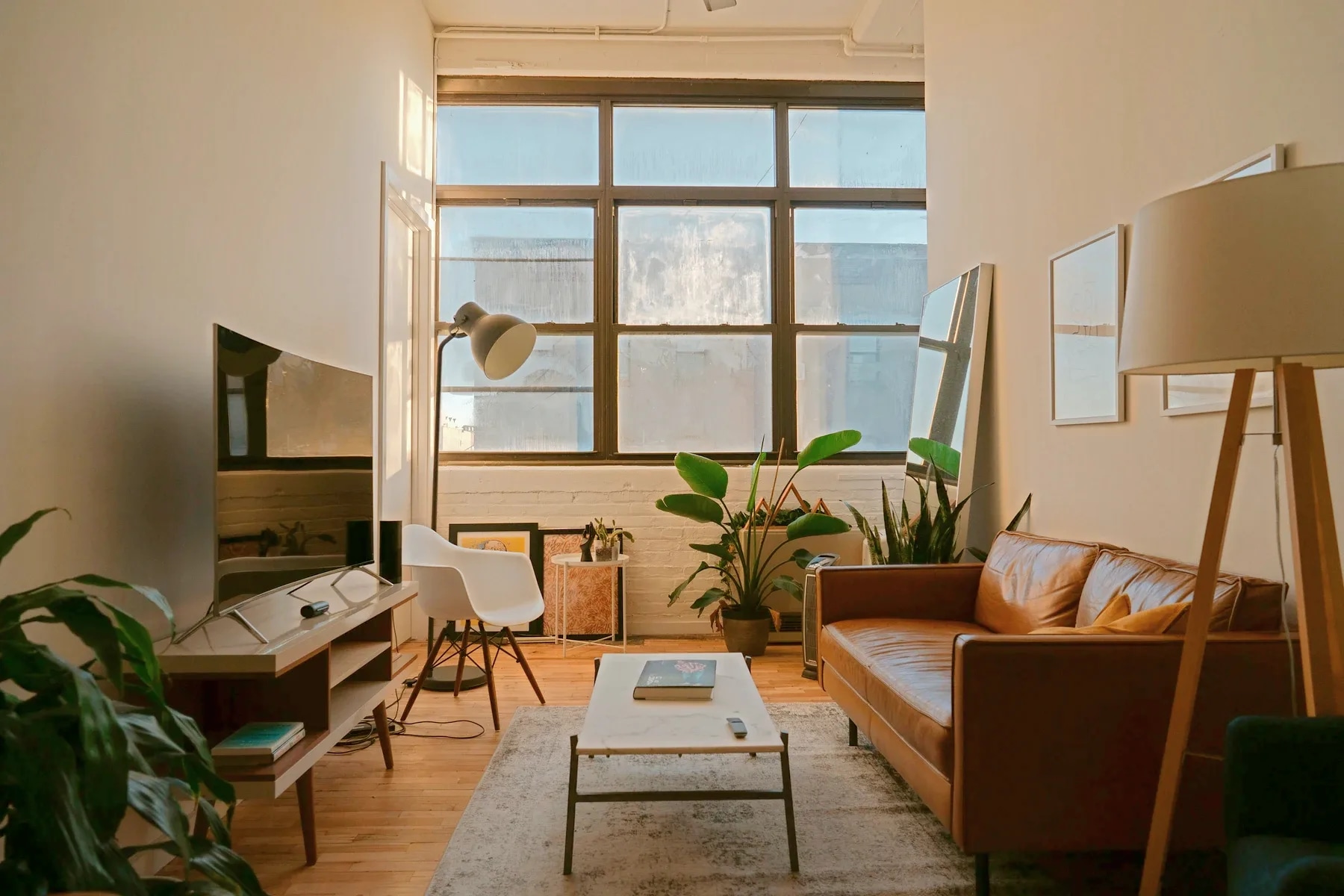
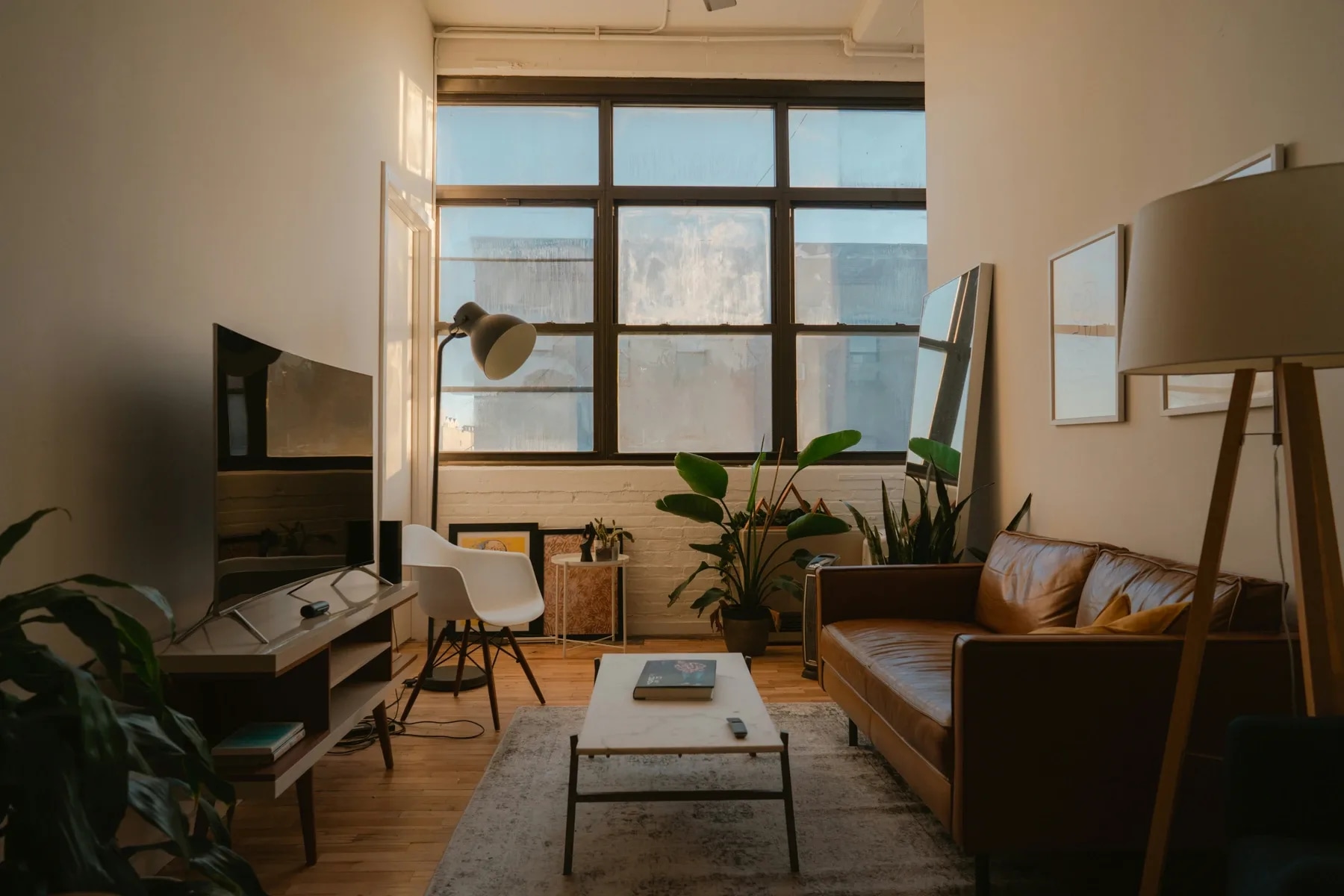
- Gratis bewerking
- Eén, zonder account
- Gratis formaat
- Tot 2K, met watermerk
- Met een account
- 4K, geen watermerk, 3 credits
Is de AI vastgoedfoto verbeteraar gratis?
Je eerste verbetering is gratis, zonder account en zonder kaart: de volledige correctie tot 2K, met een watermerk op de download. Een gratis account verwijdert het watermerk, ontgrendelt 4K-uitvoer en bevat 3 credits. Daarna kost één bewerking 1 credit, wat neerkomt op $0.45 per foto afhankelijk van de pakketgrootte, en credits verlopen nooit.
Laatst bijgewerkt:
Vier dingen die een kamer amateuristisch laten ogen
Eén advertentiefoto, vier uitsneden op ware grootte, elk diagonaal gesplitst tussen het origineel en het gecorrigeerde beeld.
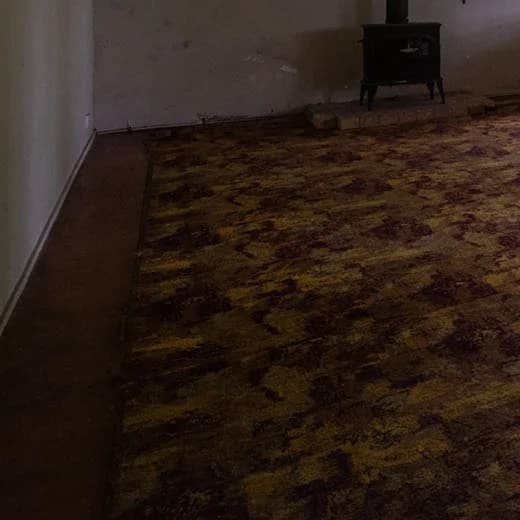 VoorNa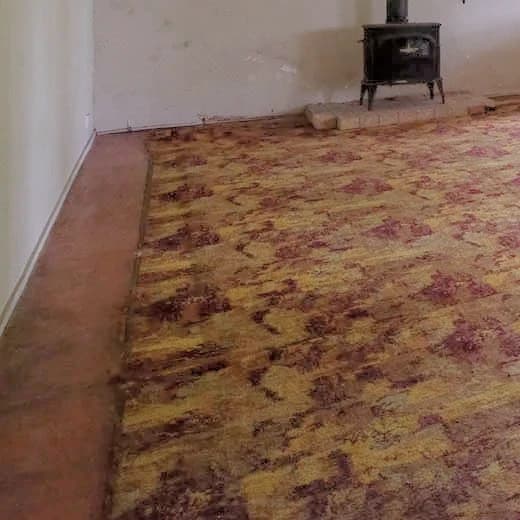
Schaduwen die de vloer opslokken De camera mat op het raam, dus al het andere viel weg in silhouet.
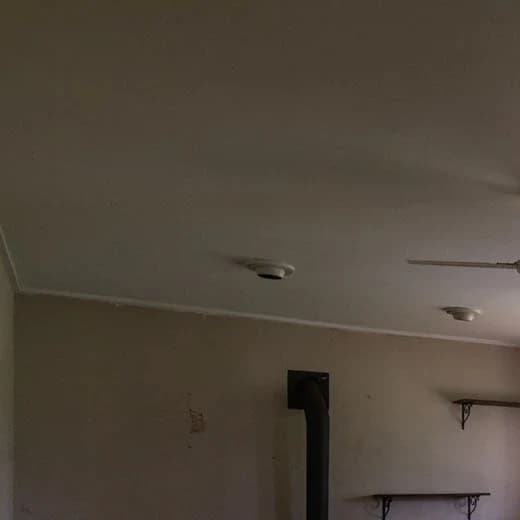 VoorNa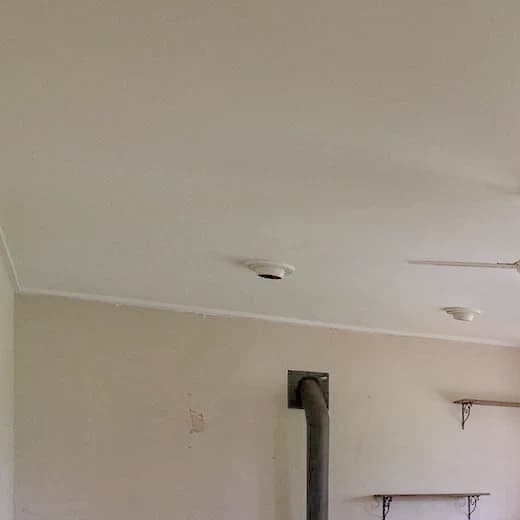
Een grijze waas over witte muren Gemengd binnenlicht kleurt witte verf groen of oranje, en het oog leest dat als vuil.
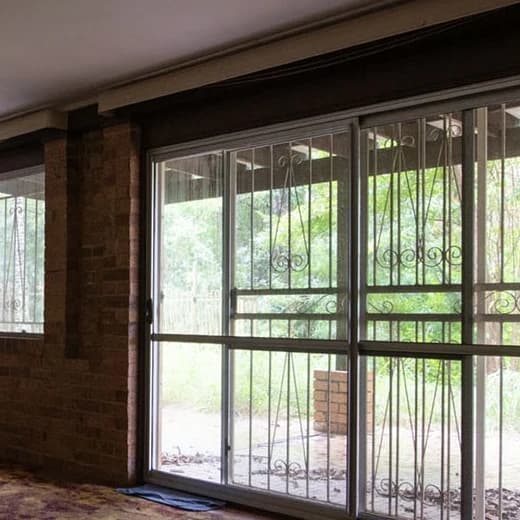 VoorNa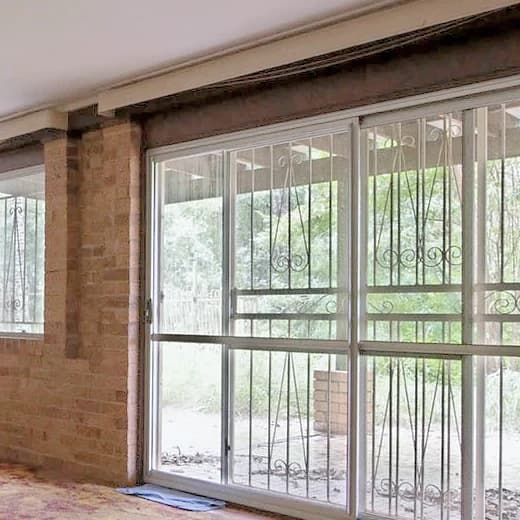
Ramen die wit zijn uitgebrand De belichting die de kamer nodig heeft, is precies de belichting die het uitzicht weggooit dat de koper wil zien.
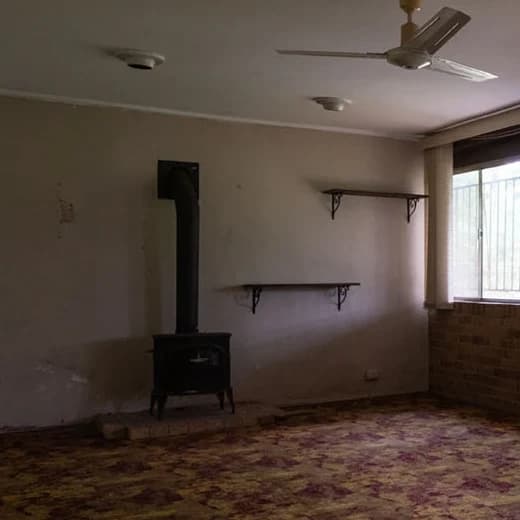 VoorNa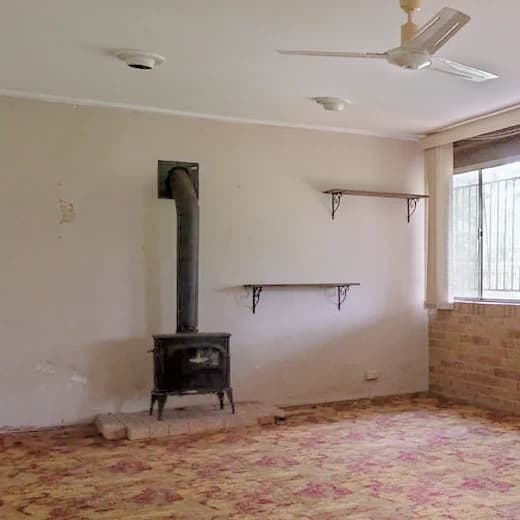
Vlakke, melkachtige middentonen Nergens echt zwart, waardoor het hele beeld lijkt te zijn gemaakt door mist heen.
Jouw kamer, niet een plaatje van een kamer zoals de jouwe
De meeste verbeteraars in deze categorie zijn generatief: een model overschildert je foto en die oogt scherper omdat het het detail heeft verzonnen. Bij een portret is dat een pluspunt. Bij een advertentie is het de foto van een kamer die niet bestaat.
- 01Er wordt niets gegenereerd
- Drie rekenslagen op je eigen pixels. Geen enkel model krijgt het beeld ooit te zien.
- 02Vergroten herstelt, verzint nooit
- We hebben de upscaler in augustus 2026 vervangen: de oude hallucineerde textuur en liet kamers plastic ogen.
- 03Buitenopnamen krijgen hun eigen regel
- De warmte die een kamer met gloeilamplicht redt, kleurt een blauwe lucht oranje. Buiten kan de warmte alleen omlaag.
- 04Deterministisch, dus herhaalbaar
- Geen seed, geen nieuwe poging. Een resultaat dat je niet bevalt is een fout die wij kunnen reproduceren, geen geluk waarvoor je opnieuw betaalt om het te veranderen.
Het is ook de reden dat dit gereedschap geen vermelding draagt, terwijl ons virtual-staging-gereedschap dat wel doet. Belichting, witbalans en verscherping zijn precies wat de Californische wet AB 723 buiten haar definitie van een digitaal gewijzigde afbeelding houdt; toevoegen, verwijderen of vervangen van wat er in de kamer staat is wat die wet wel dekt. Bekijk de vermeldingsregels per staat
Hoe het werkt
- 01
Sleep de foto erin
Elke JPG, PNG of WEBP tot 15 MB. Geef aan of het een gevel of een tuin is: buitenopnamen volgen een andere warmteregel.
- 02
Het meet en corrigeert dan
Luminantiepercentielen, kanaalgemiddelden over de middentonen en een lokale helderheidskaart worden van jouw beeld afgelezen. Alle drie de afwerkingen komen binnen enkele seconden terug.
- 03
Kies een afwerking en een formaat
Vergelijk de drie met je origineel en download vervolgens in 1K, 2K of 4K.
Uitvoerformaten
2K is de standaard: het is wat portalen willen, en wat vrijwel elke upload vanaf een telefoon of camera al overtreft. Een formaat groter dan je origineel vragen zet een upscaler aan; hetzelfde formaat of kleiner niet.
| Formaat | Uitvoerformaten | Zonder account |
|---|---|---|
| 1K1024 px | Webpagina's, social posts en e-mail. Kleinste bestand. | Beschikbaar, met watermerk |
| 2K2048 px | De standaard. Uploads naar portalen en MLS, en de meeste druk op advertentiebladformaat. | Beschikbaar, met watermerk |
| 4K3840 px | Grootformaatdruk en brochures. Vergroot wanneer je origineel kleiner is, wat langer duurt. | Vereist een gratis account |
Een bewerking zonder inloggen is een echte bewerking en geen voorbeeld: de volledige correctie, alle drie de afwerkingen, en een download met een klein watermerk. Een gratis account haalt het watermerk weg, opent 4K en komt met 3 credits.
Vragen over de verbeteraar
Voorwaarden, grenzen en wat het gereedschap niet doet.
Is de vastgoedfoto verbeteraar gratis?
Je eerste bewerking is gratis, zonder account en zonder kaart, tot 2K, en de download draagt een klein watermerk. Een gratis account aanmaken verwijdert het watermerk, ontgrendelt 4K en geeft je 3 credits. Daarna kost een bewerking 1 credit, wat neerkomt op $0.45 per foto afhankelijk van de pakketgrootte. Credits verlopen nooit en er is geen abonnement dat je moet aanhouden.
Waarom heeft mijn gratis download een watermerk?
Omdat de bewerking echt gratis is en geen lokkertje: je krijgt de volledige correctie en alle drie de afwerkingen, niet een voorbeeld op lage resolutie. Het watermerk is wat voorkomt dat het gereedschap anoniem op schaal wordt gebruikt. Een gratis account haalt het weg, en kost niets.
Hoeveel foto's dekt één credit?
Eén credit dekt één bewerking van één foto, en een bewerking levert alle drie de afwerkingen op. Achteraf een andere afwerking kiezen, of er meer dan één bewaren, kost geen tweede credit. Dat is bewust: de correctie is een kwestie van smaak, en een smaakbeslissing een tweede credit laten kosten was de klacht waaruit het gedrag met drie afwerkingen is ontstaan.
Verandert de AI wat er in de kamer staat?
Nee. De correctie is deterministische pixelrekenkunde op je eigen afbeelding, in drie slagen — belichting, toon en kleur — zonder dat enig model iets genereert. Er kan niets aan de kamer worden toegevoegd, uit worden weggehaald of worden verzonnen. De enige uitzondering is een uitvoer vragen die groter is dan het geüploade bestand, wat een upscaler start die juist is gekozen omdat hij detail herstelt in plaats van textuur te verzinnen.
Hebben verbeterde foto's een AI-vermelding nodig in de advertentie?
Niet voor de correcties die dit gereedschap uitvoert. De Californische wet AB 723, de meest specifieke regel die van kracht is, definieert een digitaal gewijzigde afbeelding rond het toevoegen, verwijderen of wijzigen van wat de woning bevat, en zondert belichting, witbalans, kleurcorrectie en verscherping uitdrukkelijk uit. Virtual staging, objecten verwijderen, luchtvervanging en dag-naar-schemering zijn een ander verhaal, en onze tools daarvoor dragen wel een vermelding. Regels verschillen per staat en per land, dus controleer die van jou.
Hoe lang duurt het?
De correctie zelf draait in enkele seconden voor alle drie de afwerkingen op 1K of 2K, omdat het CPU-werk is en geen model in een wachtrij. 4K kiezen bij een foto die kleiner is dan 4K voegt een vergrotingsslag toe, en die duurt langer.
Welke resolutie moet ik kiezen?
2K, de standaard. Dat is wat MLS-platforms en portalen willen, en vrijwel elk bestand van een telefoon of camera overtreft het al, dus het kost alleen verwerking. Kies 1K alleen wanneer bestandsgrootte telt, en 4K voor grootformaatdruk. Een formaat groter dan je origineel vragen is het enige geval waarbij vergroting komt kijken.
Welke fotoformaten en -groottes worden ondersteund?
JPG, PNG en WEBP, tot 15 MB. Foto's tussen 800x600 en 4000x4000 pixels werken het beste. Zowel binnen- als buitenopnamen worden ondersteund, met een aparte warmteregel voor buiten.
Kan ik foto's van een telefoon verbeteren?
Ja, en dat is het geval waarop het is afgestemd. Uit de hand gemaakte binnenopnamen komen onderbelicht binnen, met kleurruis in de schaduwen, en de ruisonderdrukking hier werkt alleen op kleur: het weghalen van de vlekken maakt de randen dus niet zachter zoals een algemene ruisonderdrukker zou doen.
Hoe verschilt dit van Photoshop of Lightroom?
Het maakt dezelfde soort correctie, met de beslissingen al genomen. Handmatig bewerken betekent het histogram lezen, de witbalans instellen, de schaduwen maskeren en de verscherping zelf doseren, foto voor foto. Hier worden die getallen van het beeld afgelezen en toegepast, en kies je tussen drie afwerkingen in plaats van honderd schuifjes.
Geeft dezelfde foto twee keer hetzelfde resultaat?
Ja. De pipeline is deterministisch, zonder enige willekeurige seed, dus een gegeven foto en afwerking leveren altijd dezelfde uitvoer op. Daarom is er geen knop om opnieuw te genereren, en daarom is een resultaat dat je niet bevalt iets dat wij kunnen reproduceren en verhelpen, in plaats van iets waaraan je nog een credit uitgeeft.
Wat is het verschil tussen verbetering en virtual staging?
Verbetering corrigeert hoe de foto is gemaakt — belichting, kleur, ruis en scherpte — en laat de kamer precies zoals die was. Virtual staging verandert de kamer door meubels en decoratie aan een lege ruimte toe te voegen. Ze lossen verschillende problemen op, en alleen het tweede vraagt om een vermelding in de advertentie.
AI-gereedschap
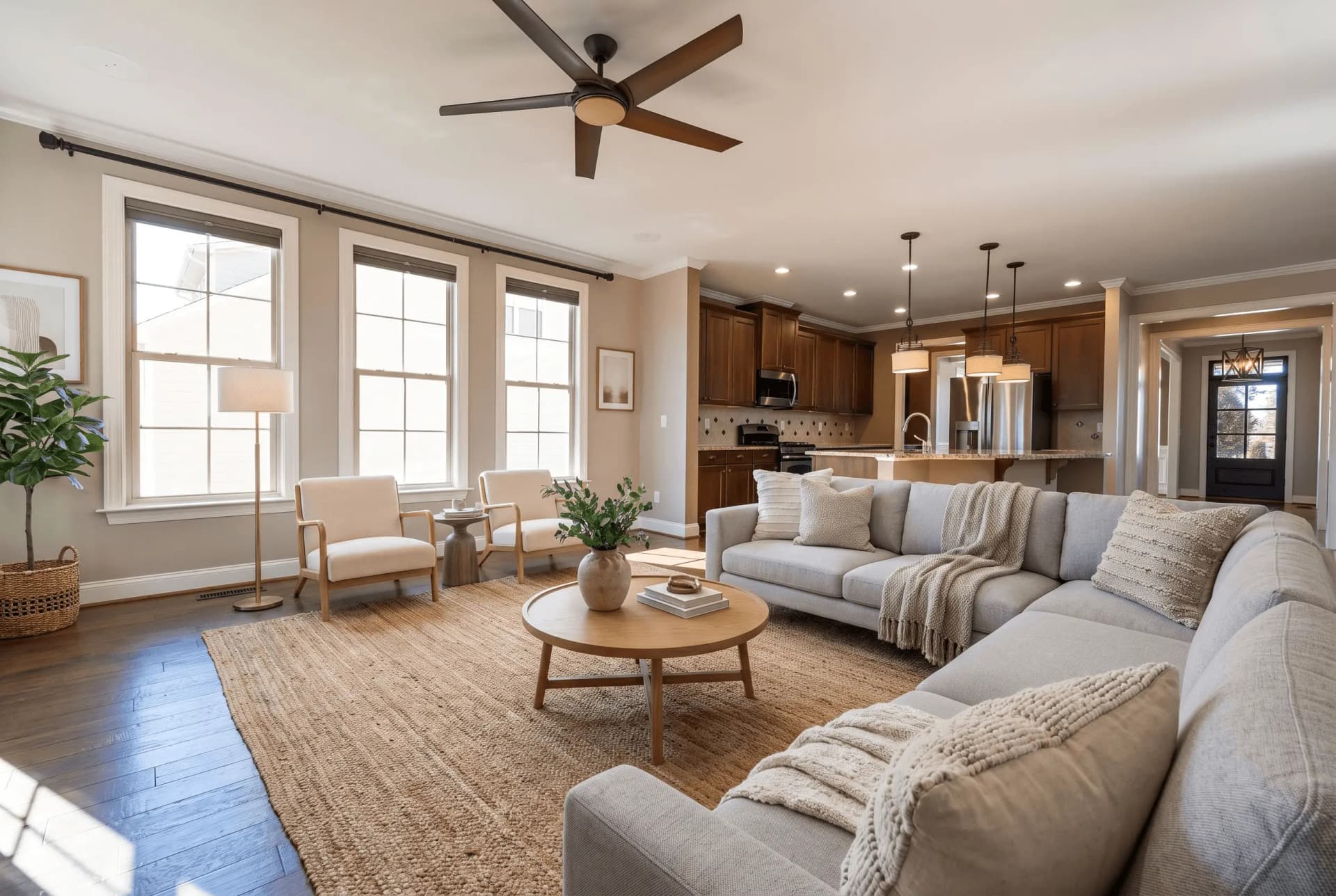 VoorStyling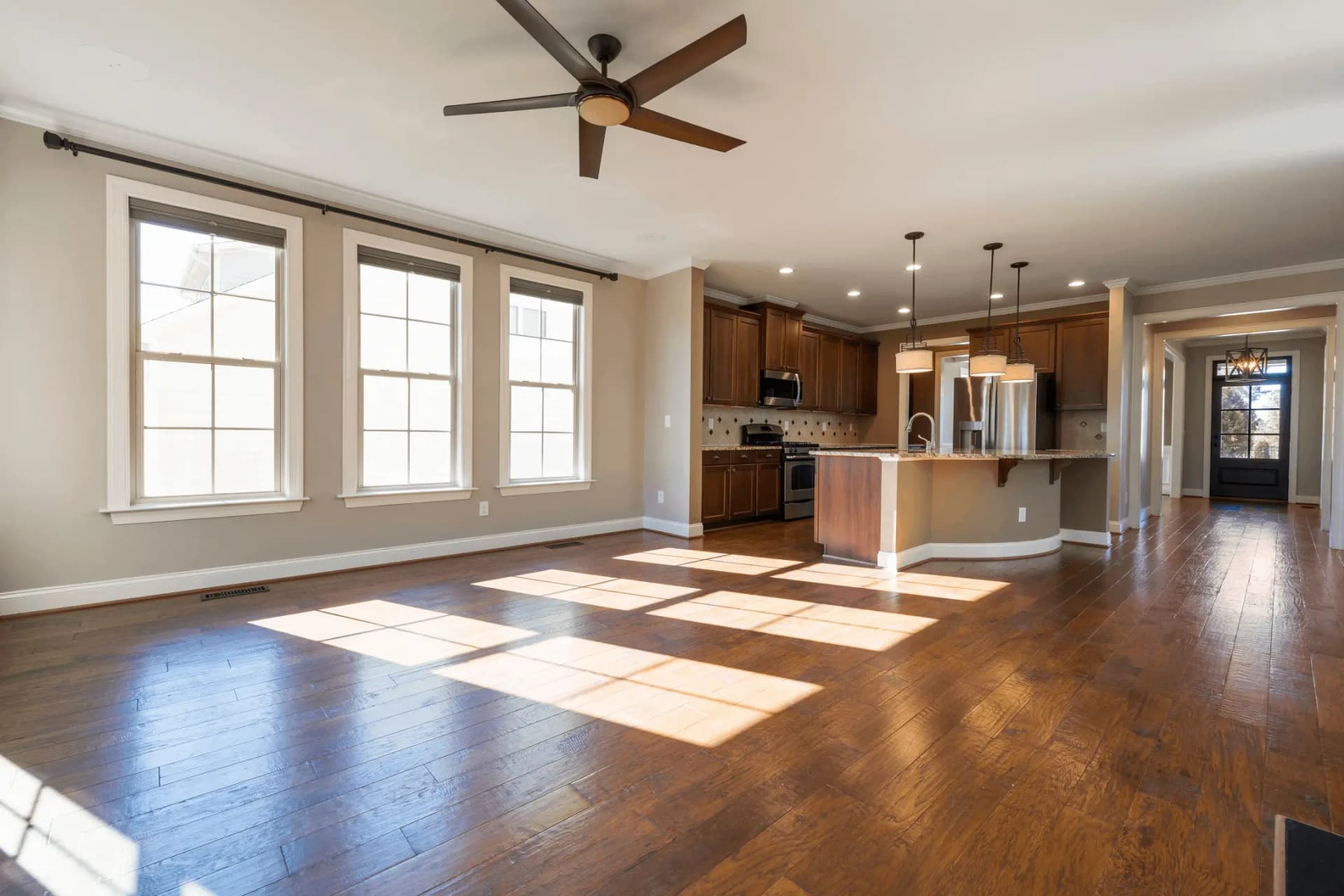
Virtuele Staging
Transformeer lege kamers met AI-gegenereerde meubels
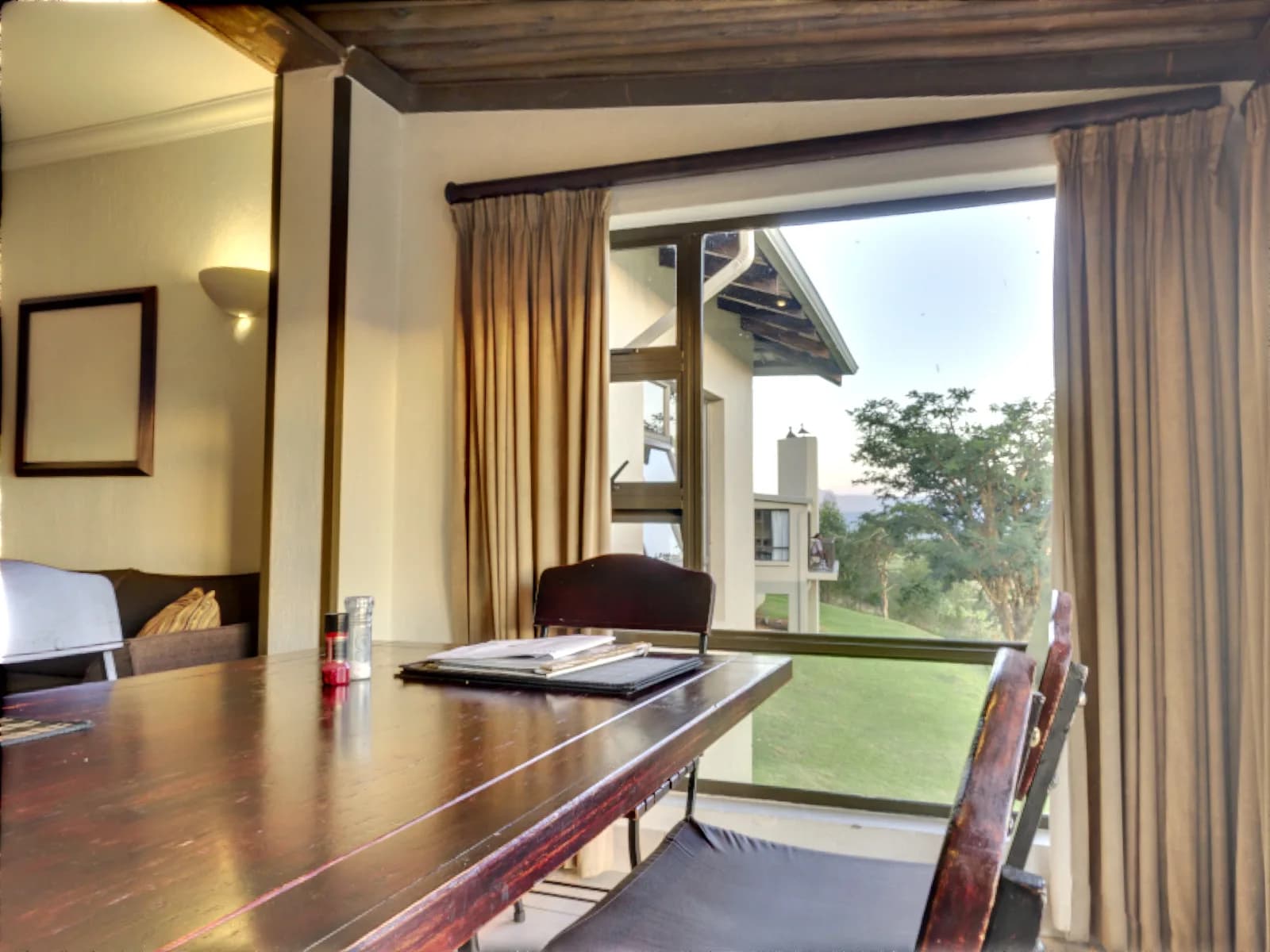 VoorVerbetering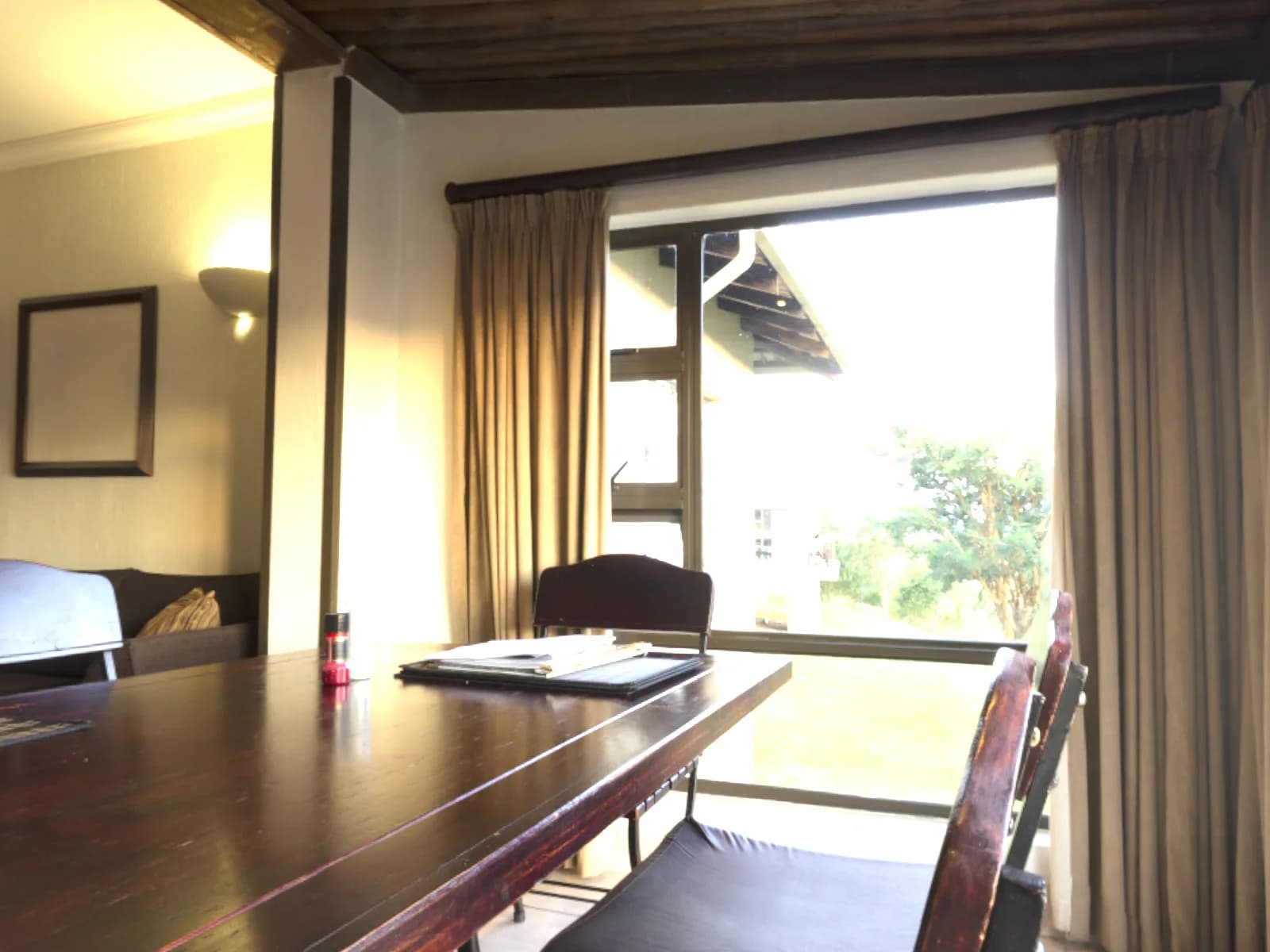
Belichtingsreeks Samenvoegen
Voeg meerdere belichtingen samen tot één foto
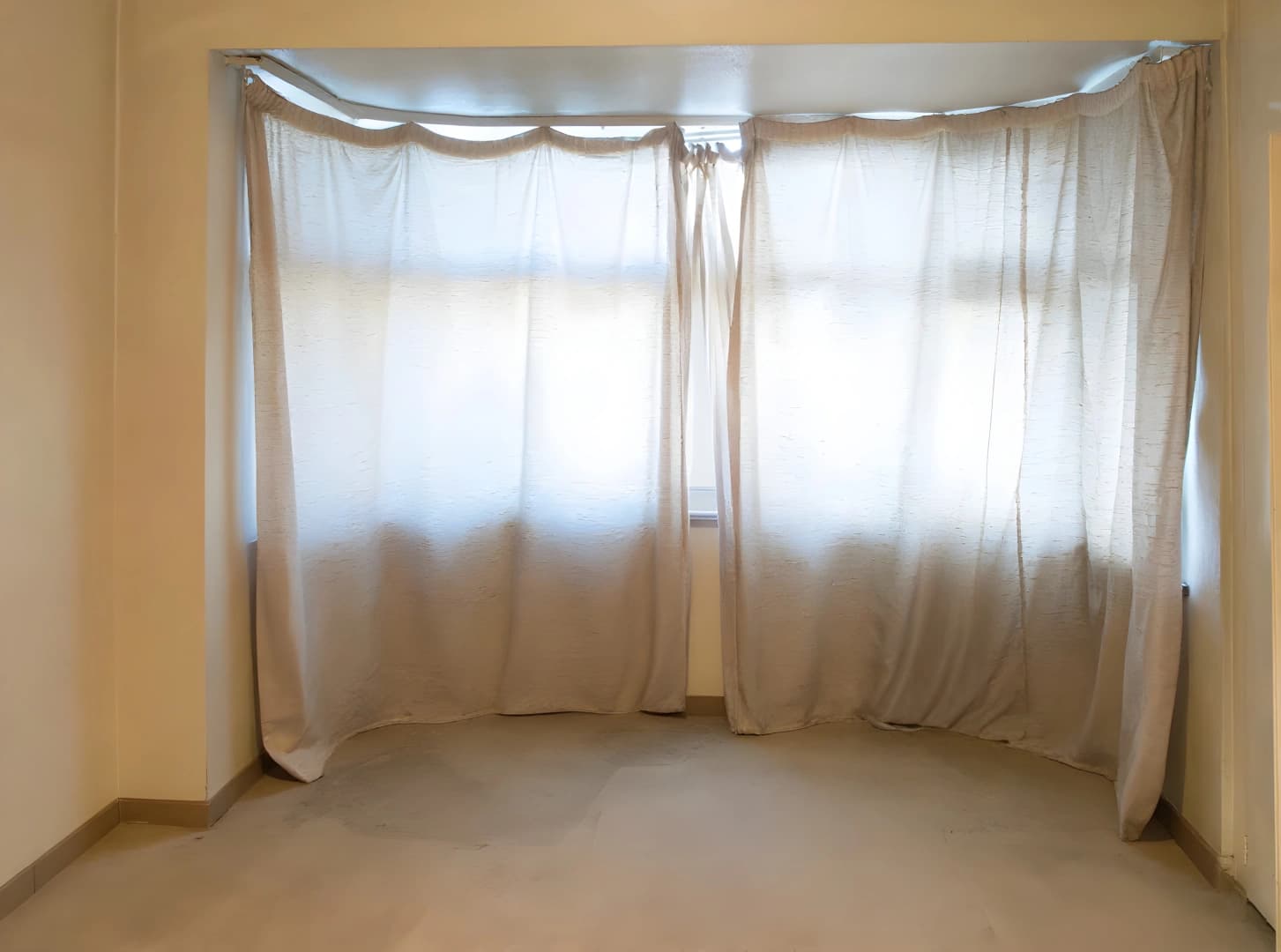 VoorVerbetering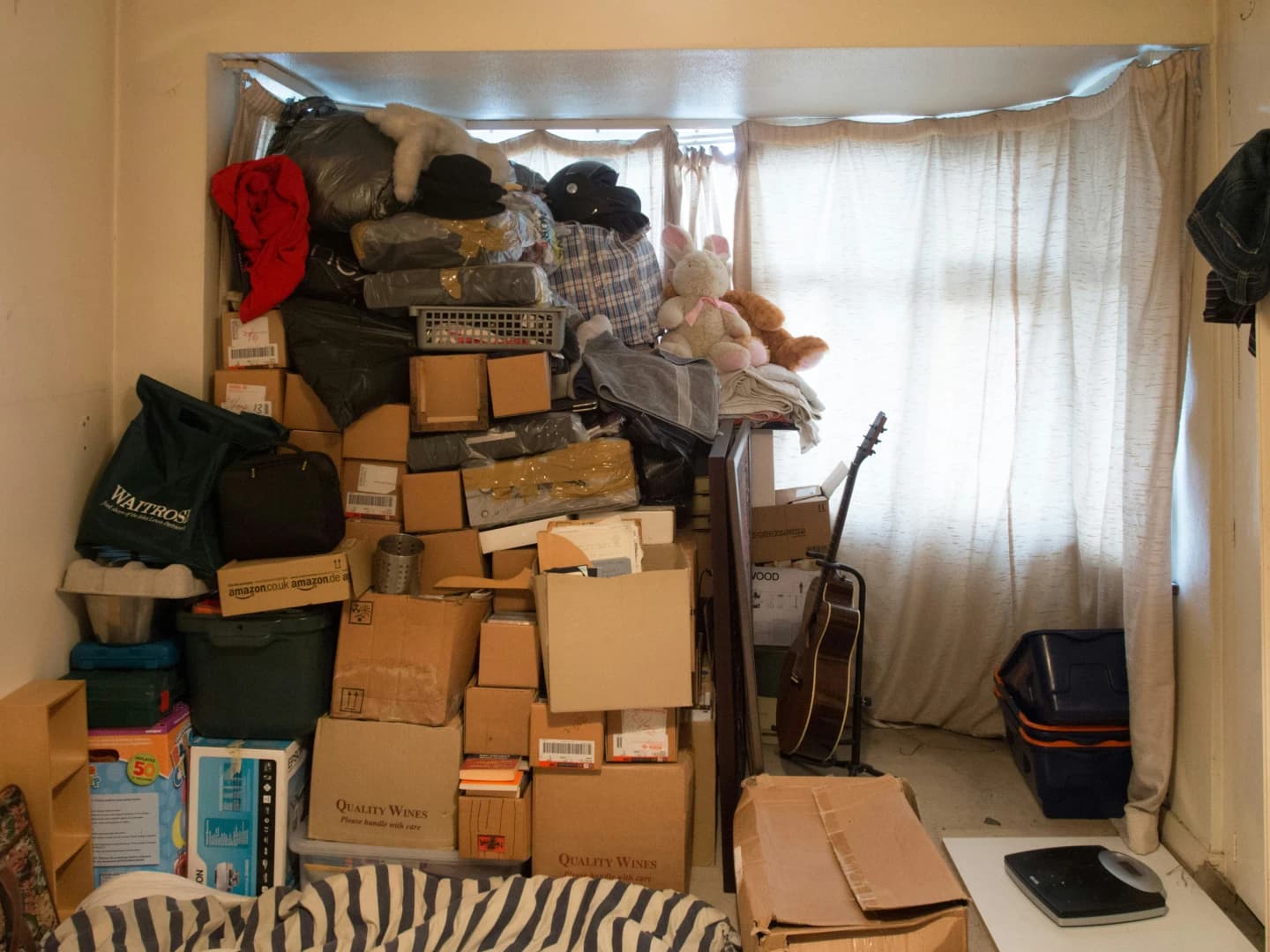
AI Opruimen
Verwijder automatisch alle meubels
 VoorVerbetering
AI Luchtvervanging
Vervang bewolkte luchten door prachtige luchten
De kamer is gecorrigeerd. Is hij leeg?
Verbetering herstelt hoe de foto is gemaakt. Virtual staging verandert wat erop staat, door een lege kamer in te richten zodat kopers zich er kunnen zien wonen.
Probeer QuickStaging gratis3 gratis credits om te starten, daarna $0.45 per foto. Credits verlopen nooit. Bekijk prijzen