
AI virtual staging furnishes an empty room
Drop in a photo of an empty room, pick a room type and a furniture style, and the furniture is placed inside your own frame — same camera, same windows, same floor.
JPG, PNG or WEBP · Max 15 MB
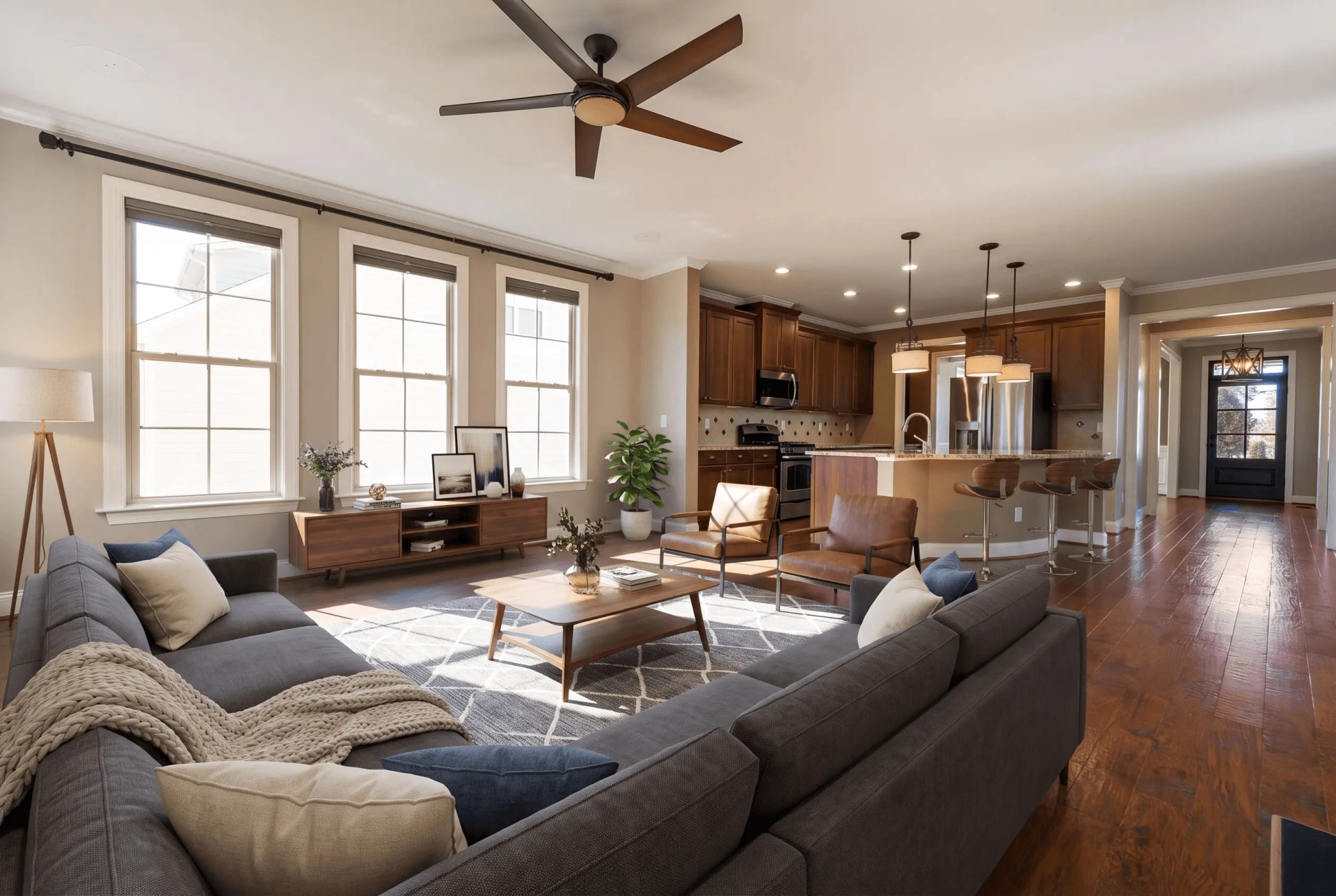
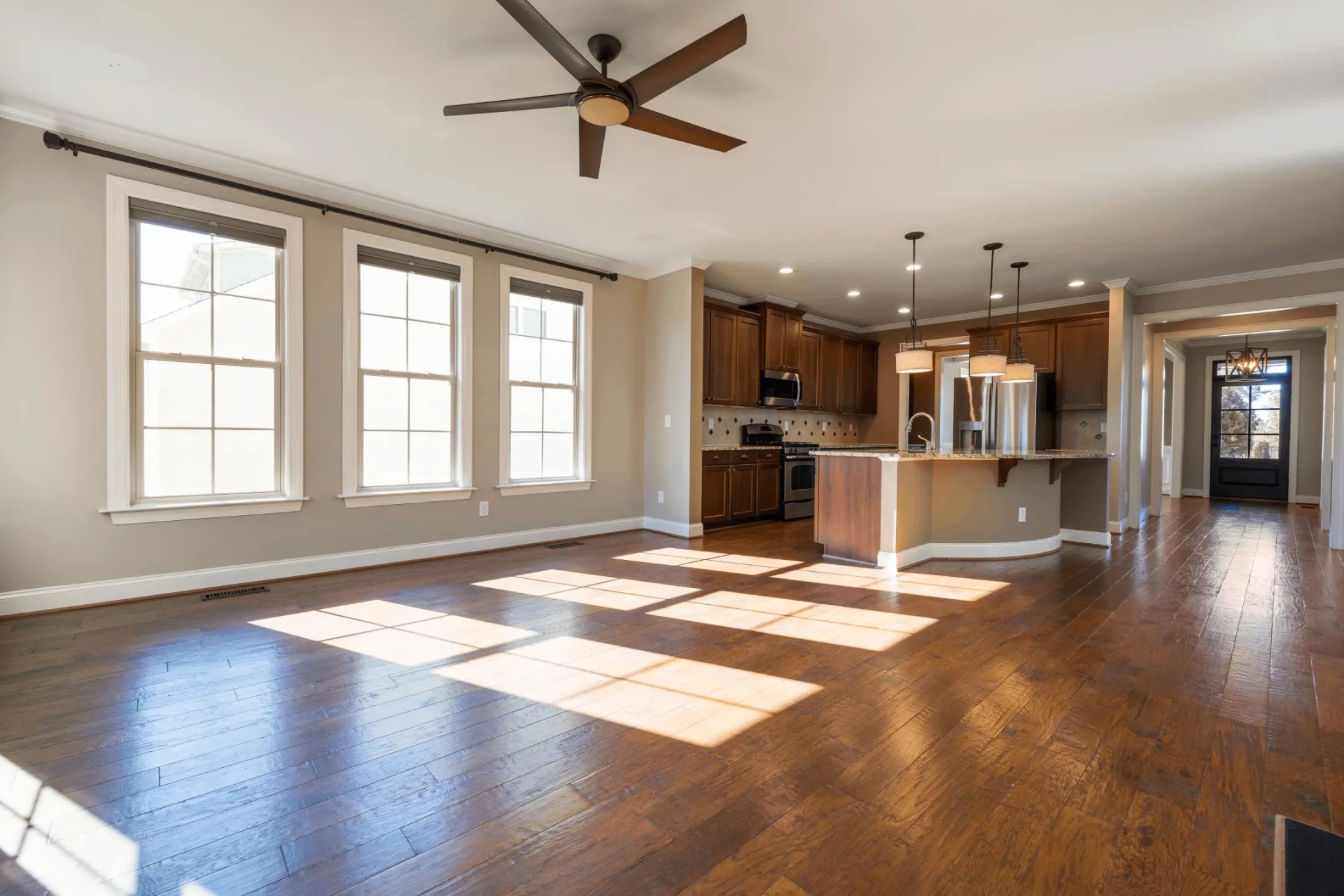
- What a run costs
- 1 credit per variant, and a run defaults to 2
- How long it takes
- About 45 seconds — the median of 73 production runs
- Signed out
- Not available — staging needs an account
Wat is virtueel inrichten?
Virtueel inrichten is het digitaal meubileren van een foto van een lege kamer, zodat kopers zien wat de ruimte kan worden. AI-tools doen dat vanaf één foto in ongeveer 45 seconden, voor ongeveer $0.45–$0.48 per afbeelding, tegenover $2.000 of meer om echte meubels te huren en te plaatsen.
Laatst bijgewerkt:
Staging adds furniture to your photograph. It does not redraw your property.
The failure that matters in this category is not ugly furniture — it is a beautiful photo of a room nobody can walk into: a camera that moved, a window that was never there, a floor that changed colour. Three locks in every prompt exist to stop exactly that, and they are the part worth checking before you buy anything here.
- 01The camera never moves
- Same height, same direction, same focal length, same vanishing points. The model may not pan, tilt, zoom or reframe, and may not render any part of the room your photo does not already show.
- 02Nothing structural moves
- Walls, windows, doors, ceiling and fixed fixtures stay as photographed. An instruction to knock a wall through or add a window is rejected before the prompt is built, whoever types it.
- 03The floor stays the floor
- Same material, colour, finish and reflectivity across the whole frame. Changing flooring or wall colour is renovation rather than staging, and it is a different tool with a different disclosure.
- 04A broken render is refunded
- We measure the result against your upload. If the walls, doors or windows moved, the credit comes back. You can also allow extra tries, which make the photo again on their own. Each one costs 1 credit and only runs when the result fails the check.
A staged photo is a digitally altered listing image under California's AB 723 — furniture that is not in the house is the clearest case the statute covers. The listing needs a conspicuous notice and a link or QR code to the unaltered original. See the disclosure rules by state
How AI virtual staging works
- 01
Upload the empty room
Any JPG, PNG or WEBP up to 15 MB. A wide shot showing the floor and at least two walls gives the model the depth cues it scales furniture against.
- 02
Pick the room type and the style
Twelve room types and fourteen furniture styles. The room type decides which pieces belong and where the focal piece goes; the style decides the materials they are made of.
- 03
Compare it against your original
Drag the handle across your own upload before you publish: the windows, the fixtures and the floor should be untouched. Then download at 2K and disclose the photo as altered.
Which photo you have, and what to run
Most bad staging is the right tool pointed at the wrong photograph. This is the routing table.
| What you have | Which photo you have, and what to run | What comes back |
|---|---|---|
| Empty roomstandard | Pick a room type and one of fourteen styles. The furniture is placed into your frame and nothing else is redrawn. | Two staged variants by default, 2K JPG, at the upload's own aspect ratio. |
| Furnished roomtwo runs | Declutter it first, then stage the emptied frame. Tools that only add furniture stack new pieces on top of the old ones — that is where doubled sofas come from. | Two separate runs, charged separately: the declutter, then the staging. |
| Several anglesmulti-angle | Group 2 to 4 photos of one room. One is staged first and the rest against it; the model is told to carry the same pieces over, not to invent a second set. | 1 credit per angle. Pieces can still shift between angles, and an angle that fails our match check is refunded. |
| 360° panoramaother tool | An equirectangular 2:1 frame is staged as one sphere with the wrap seam closed, so it holds together when you turn all the way around. | 1 credit — a panorama is always a single render. |
Every row costs 1 credit per variant, and the variant picker opens on 2. A free account takes no card and comes with 3 credits; after those, credits work out to $0.45 per photo depending on pack size and they never expire. Signed out, nothing renders — the studio shows a sign-up wall rather than spending a GPU on an anonymous request.
Every room type, every style
Staging is tuned per room — a kitchen is not furnished like a bedroom. Open the room you are working on to see what the model does with it.
Available styles
Modern · Scandinavisch · Industrieel · Minimalistisch · Eigentijds · Bohemien · Mid-Century Modern · Japandi · Kust · Overgangs · Luxe · Boerderij · Rustiek · Traditioneel
Virtual staging vs echte styling
Allebei laten ze de koper meubels zien. Maar één zet er ook echt meubels neer.
| Virtual staging met AI | Handmatig bewerkte staging | Fysieke styling | |
|---|---|---|---|
| Kosten per foto | $0.45–$0.48 per afbeelding | ≈$39.50 per afbeelding | $2.000–$5.000+ per woning |
| Doorlooptijd | ~45 seconden | 24–72 uur | Dagen tot weken |
| Wat er verandert | De advertentiefoto's | De advertentiefoto's | De kamer zelf |
| Vermelding verplicht | Ja | Ja | Nee |
Virtual staging questions, answered
The questions people actually search for, each answered with the number behind it.
Wat kost virtueel inrichten?
Virtueel inrichten met AI kost ongeveer $0.45–$0.48 per afbeelding. Door mensen bewerkte diensten rekenen ongeveer $39.50 per afbeelding, de mediaan van de vier die we op hun eigen prijspagina's volgen. Traditioneel fysiek stylen kost $2.000 tot $5.000 of meer per woning, plus maandelijkse meubelhuur.
Is virtueel inrichten beter dan echt stylen?
Ze lossen verschillende problemen op. Echt stylen verandert wat een bezoeker in de woning ervaart; virtueel inrichten verandert alleen de advertentiefoto's. Virtueel inrichten kost een fractie en is in seconden klaar, dus het past bij leegstaande woningen waar budget of planning meubelhuur uitsluit.
Moet je virtueel inrichten vermelden?
In Californië wel. Business & Professions Code § 10140.8, toegevoegd door AB 723, vereist een zichtbare vermelding op digitaal bewerkte advertentiefoto's plus een link of QR-code naar het onbewerkte origineel. We onderzochten 297 Californische advertenties die zelf aangeven dat hun foto's zijn bewerkt: 294 bieden geen publiek bereikbare link naar het origineel.
Kun je een al gemeubileerde kamer virtueel inrichten?
Ja, maar in twee stappen. Eerst moeten de bestaande meubels worden verwijderd, daarna wordt de lege kamer opnieuw ingericht. Tools die alleen meubels toevoegen, plaatsen nieuwe stukken bovenop de oude — daarom zijn opruimen en inrichten aparte bewerkingen.
Hoe snel is virtueel inrichten?
Een ingerichte foto komt in ongeveer 45 seconden terug. Dat is de mediaan van 73 afgeronde productieruns, en negen van de tien zijn binnen 82 seconden klaar. De AI werkt met één foto, zonder bezoek ter plaatse en zonder levering — de grens is rekentijd, niet planning. Door mensen bewerkte diensten noemen 24 tot 72 uur, en fysiek stylen kost dagen tot weken.
Bestaat er een gratis tool voor virtueel inrichten?
QuickStaging geeft elk geverifieerd account 3 gratis credits, zonder kaart. Eén credit levert één variant en een run maakt er standaard 2, dus de gratis credits dekken een volledige run plus reserve, of 3 losse foto's met één variant elk. Ongebruikte credits verlopen nooit.
Bekijk de volledige audit van 297 Californische advertenties
Virtual staging glossary
The terms that come up in listing photography and staging briefs.
- Virtueel Inrichten
- Het proces van het digitaal inrichten en decoreren van lege vastgoedfoto's met behulp van computersoftware of AI-technologie om potentiële kopers te helpen het potentieel van de ruimte te visualiseren.
- Home Staging
- Traditioneel fysiek inrichten waarbij echte meubels en decoratie tijdelijk in een woning worden geplaatst om deze aantrekkelijker te maken voor potentiële kopers. In tegenstelling tot virtueel inrichten, worden hier echte meubels gebruikt en zijn de kosten aanzienlijk hoger.
- AI Inrichten
- Virtueel inrichten aangedreven door kunstmatige intelligentie dat kamers automatisch kan inrichten, ontwerpstijlen kan afstemmen en in seconden fotorealistische resultaten kan creëren. Geavanceerder dan traditionele fotobewerkingsmethoden.
- Advertentiefoto
- Professionele foto's gebruikt om een woning te vermarkten op vastgoedplatforms zoals Funda, Pararius of MLS-advertenties.
- MLS (Multiple Listing Service)
- Een database die vastgoedmakelaars gebruiken om informatie te delen over te koop staande woningen. MLS-advertenties bevatten doorgaans foto's, beschrijvingen, prijzen en woningdetails. Virtueel inrichten kan MLS-advertenties laten opvallen.
- Render
- De definitieve verwerkte afbeelding geproduceerd door virtueel-inrichtingssoftware. Een hoogwaardige render moet er fotorealistisch uitzien en virtuele meubels naadloos mengen met de originele kamerfoto.
- Levertijd
- De tijd van het insturen van foto's tot het ontvangen van de afgewerkte virtueel ingerichte beelden. Traditionele diensten nemen 24-48 uur, terwijl AI-platforms zoals QuickStaging resultaten leveren in ongeveer 45 seconden.
- Fotorealistisch
- Inrichting die leest als een foto en niet als een render: meubels op plausibele schaal, schaduwen die het licht van de kamer volgen en een onveranderd cameraperspectief. Dat is het doel, geen garantie — vergelijk elk resultaat met je origineel voordat je publiceert.
- Leegstaand Pand
- Een niet-gemeubileerd pand zonder meubels of decoratie. Kopers schatten de maat van een kamer in aan de hand van wat erin staat; een lege kamer geeft ze niets om mee te vergelijken. Dat gat wil virtueel inrichten dichten.
- Ontwerpstijl
- De esthetische benadering gebruikt bij virtueel inrichten, zoals Modern, Minimalistisch, Industrieel, Scandinavisch of Traditioneel. Het kiezen van de juiste stijl voor uw doelgroep van kopers verhoogt de betrokkenheid.
Terms, limits and edge cases
The questions above answer what virtual staging is. These answer what this one does.
Which rooms and styles can I stage?
Twelve room types — living room, bedroom, dining room, kitchen, bathroom, home office, kids' room, entryway, plus restaurant, hotel, retail and commercial office — in fourteen furniture styles from Modern and Scandinavian through Japandi, Coastal, Farmhouse and Luxury. Seven of the residential room types have their own guide page, linked above.
What resolution does the staged photo come back at?
2K, as a JPG, at the aspect ratio of what you uploaded. Downloads made with the free signup credits carry a watermark; buying any credit pack removes it.
What happens if the furniture comes back wrong?
We compare the result to your upload. If the room itself drifted and you allowed extra tries, the photo is made again on its own, at 1 credit per extra try. If it still fails, the photo's credit comes back, but the extra tries are not refunded. You can also re-run it yourself for 1 credit per variant, or brush over one area and regenerate just that part instead of the whole frame.
Can I keep the same furniture across several photos of one room?
That is what multi-angle staging is for. Group 2 to 4 photos of one room: we stage one first, then stage the others against it instead of furnishing each from scratch. Pieces can still shift between angles, so check each one and re-stage any that differs. An angle that fails our match check is not delivered and its credit comes back. Each angle is 1 credit.
Do I need design or Photoshop skills?
No. Pick the room type and the style; furniture selection, placement, scale and lighting are handled from the photograph. The only judgement asked of you is which style suits the buyer you are selling to.
What image formats and file sizes are supported?
JPG, PNG and WEBP up to 15 MB on this page. In the studio, iPhone HEIC photos are converted for you and files up to 50 MB are accepted. Panoramas go through the 360° tool instead, where the 2:1 ratio matters.
Does QuickStaging label the photo as staged for me?
Yes, unless you switch it off. Studio downloads carry an on-image "AI Virtually Staged" notice by default, and you can turn it off when the disclosure goes in the listing text instead. Our disclosure page carries wording that satisfies the statute, and the AB 723 checker tells you whether a live listing already meets both halves of it.
Can I stage a 360° panorama?
Yes, through the 360° staging tool rather than this one. It takes a 2:1 equirectangular frame, stages the whole sphere in a single render with the wrap seam closed, and costs 1 credit because a panorama is never split into variants.
Disclosing altered photos
Since January 1, 2026, California's AB 723 has required a visible disclosure and a link to the original photo on digitally altered listing images. Edits that change how a property looks are covered; routine colour and exposure fixes are not.
Where this tool fits
Every tool here does one part of the same job. This is the order the parts come in.
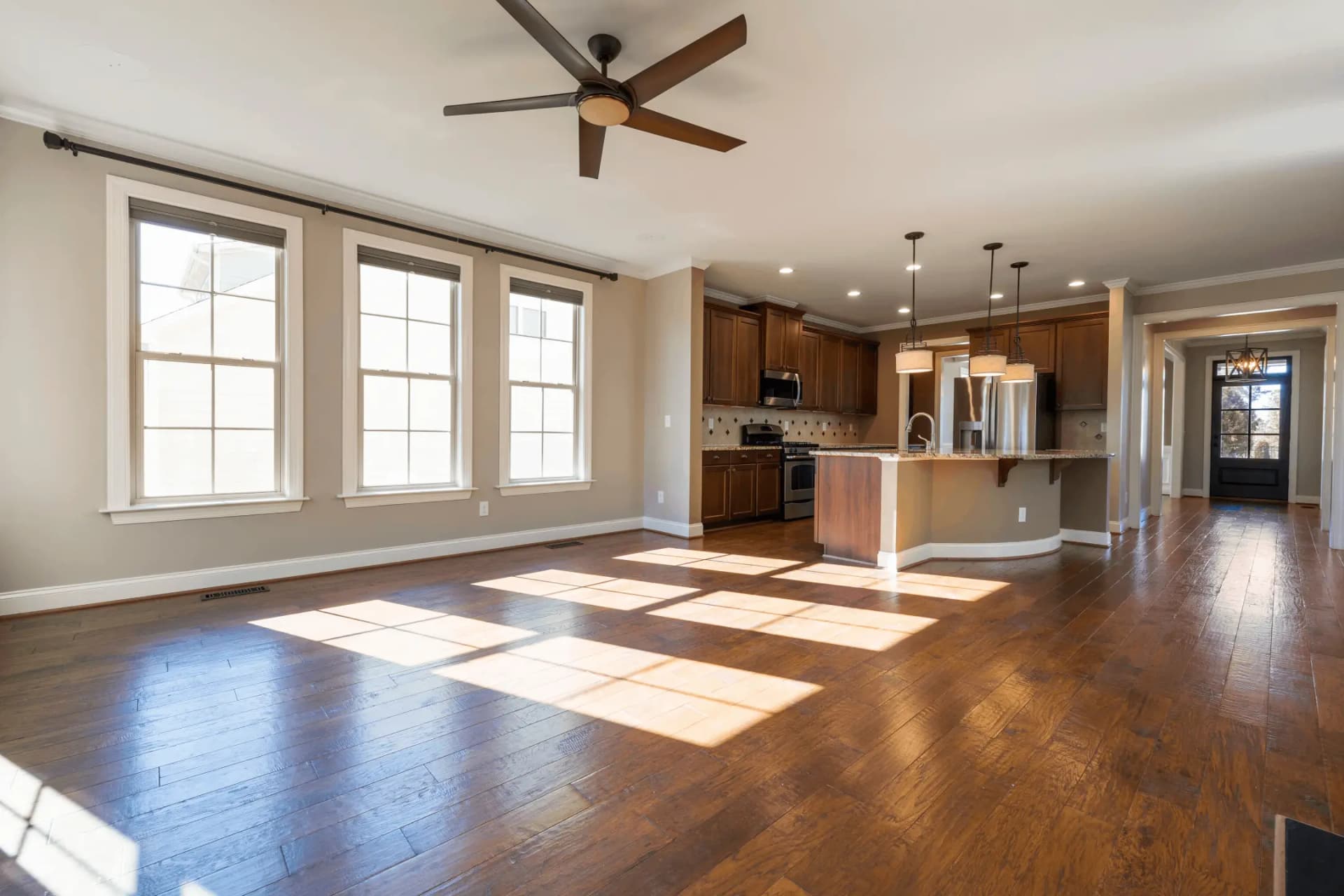
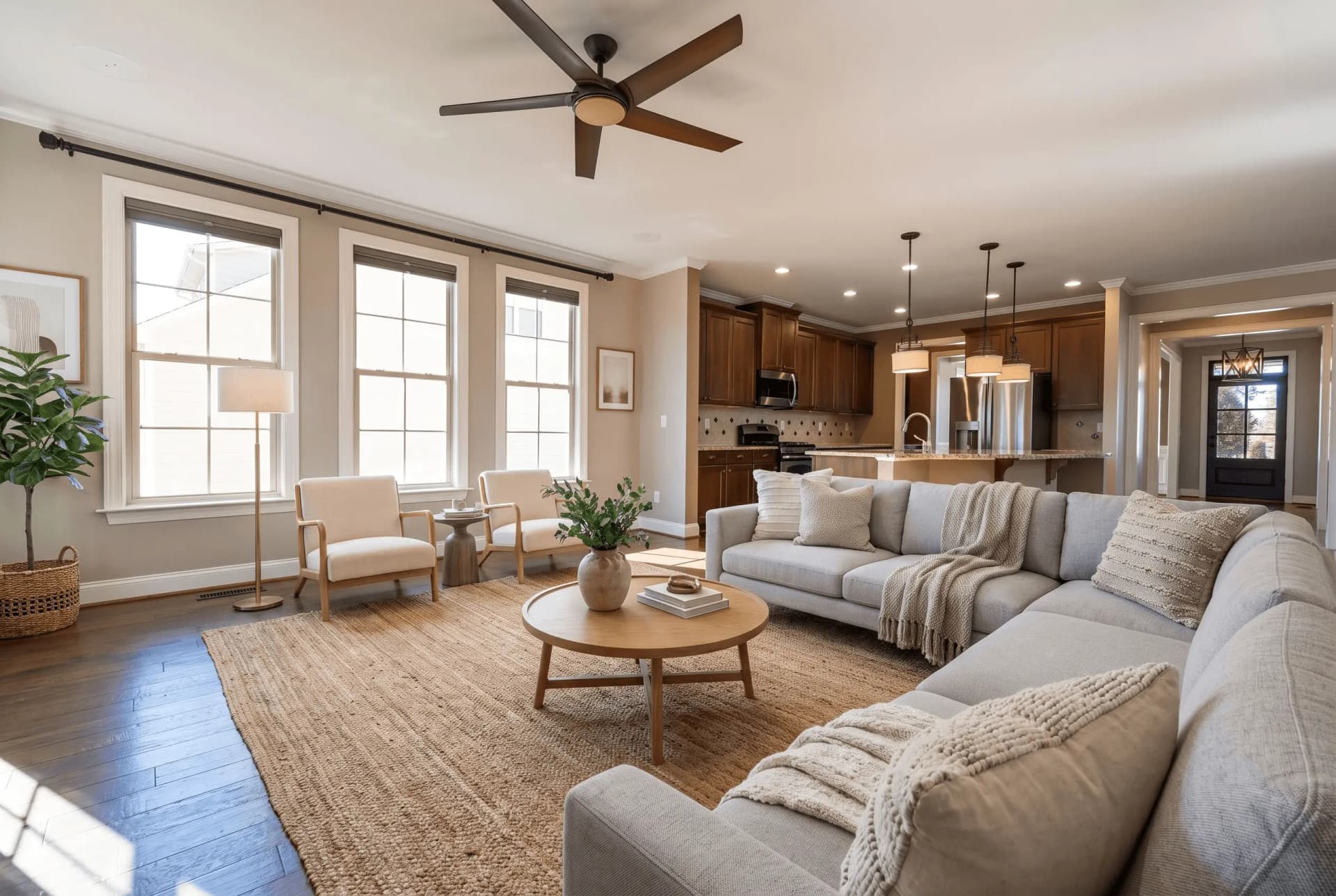
- 1
Check what you shot
Find out which photos need work before you spend anything on them.
- 2
Fix the photograph
Exposure, sky, lawn, and anything in the frame that should not be there.
AI Foto Verbeteraar, Dag naar Avond Converter, AI Luchtvervanging, Belichtingsreeks Samenvoegen, AI Opruimen, AI Object Verwijderaar, AI Gras Verbeteraar, Foto's rechtzetten
- 3
Show what it could be
You are here
Furnish an empty room, change the finishes, or stage a full 360° panorama.
Virtuele Staging, Multi-hoek inrichten, 360° Virtuele Staging, AI Virtuele Renovatie
- 4
Build the listing
The two things on a listing page that are not photographs.
- 5
Take it to market
Video, print, and the front door of an open house.
Vastgoed Flyer Maker, Open Huis Aanmeldlijst, Voor & Na Onthullingsvideo, Woningtour Video
One photo is not the whole listing
The same upload can go through sky replacement, day-to-dusk, decluttering and the lawn tool, then out as listing copy, social posts and a print flyer. It is one studio, not eight.
Open the Studio3 gratis credits om te starten, daarna $0.45 per foto. Credits verlopen nooit. Bekijk prijzen