
AI virtual staging furnishes an empty room
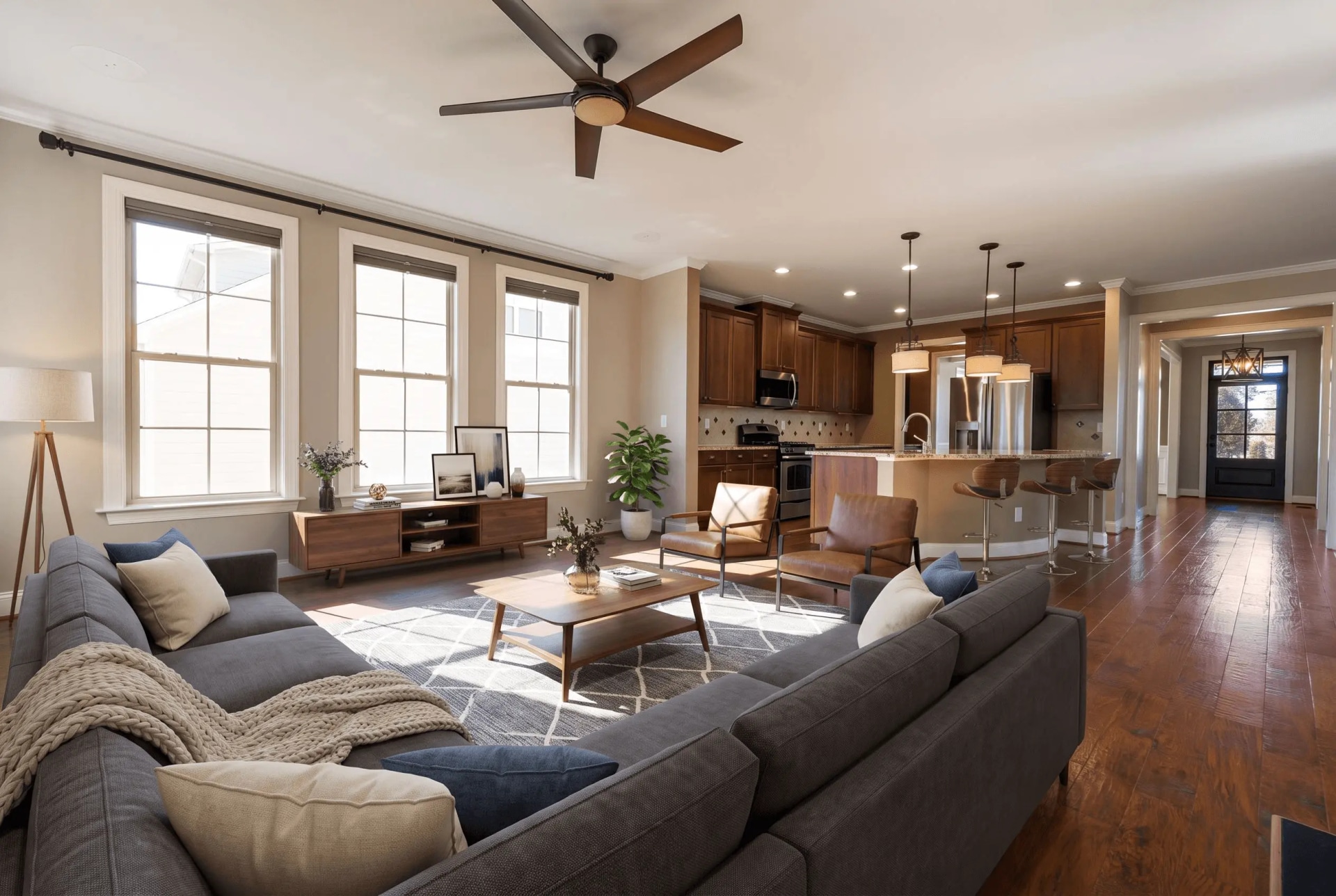
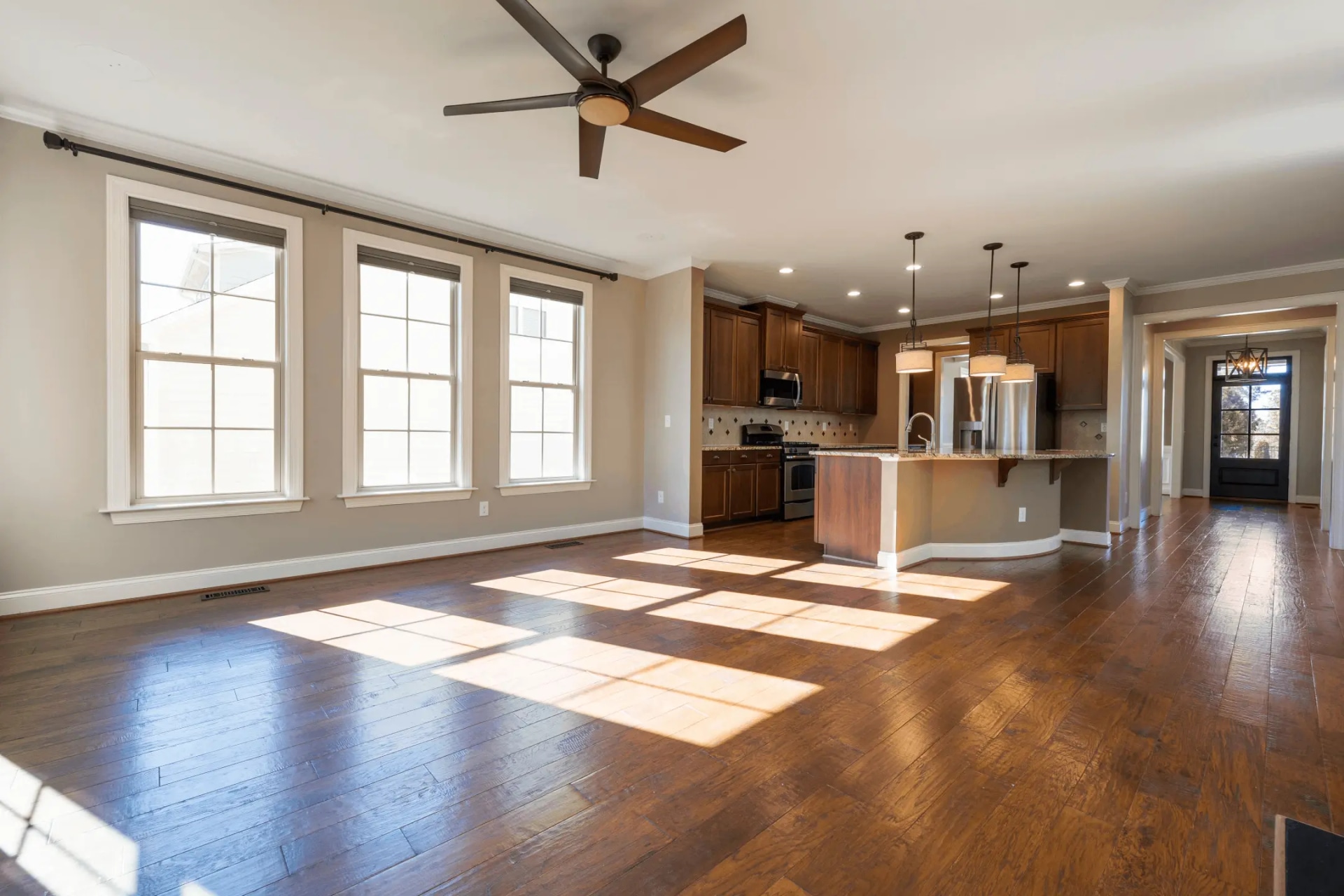
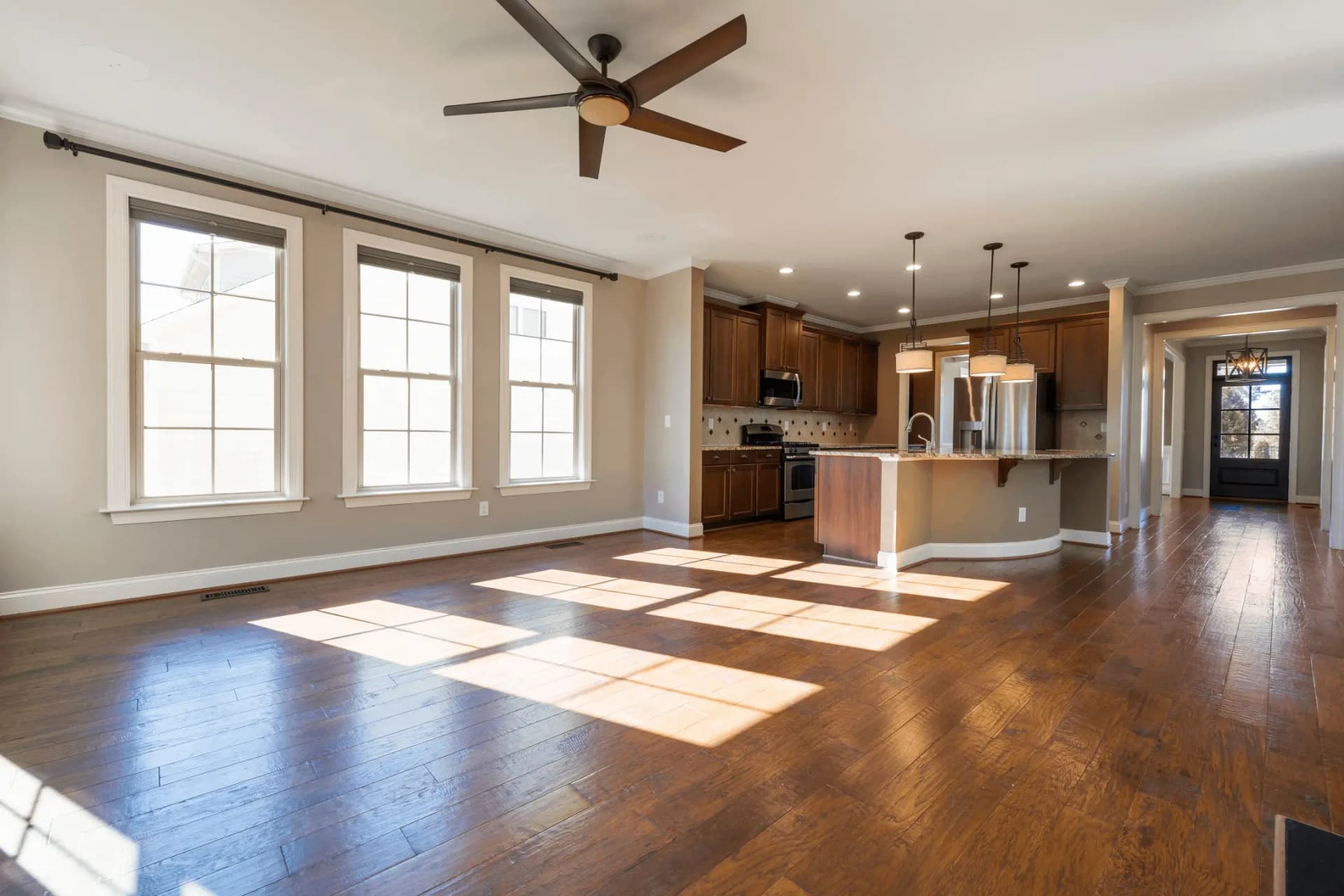
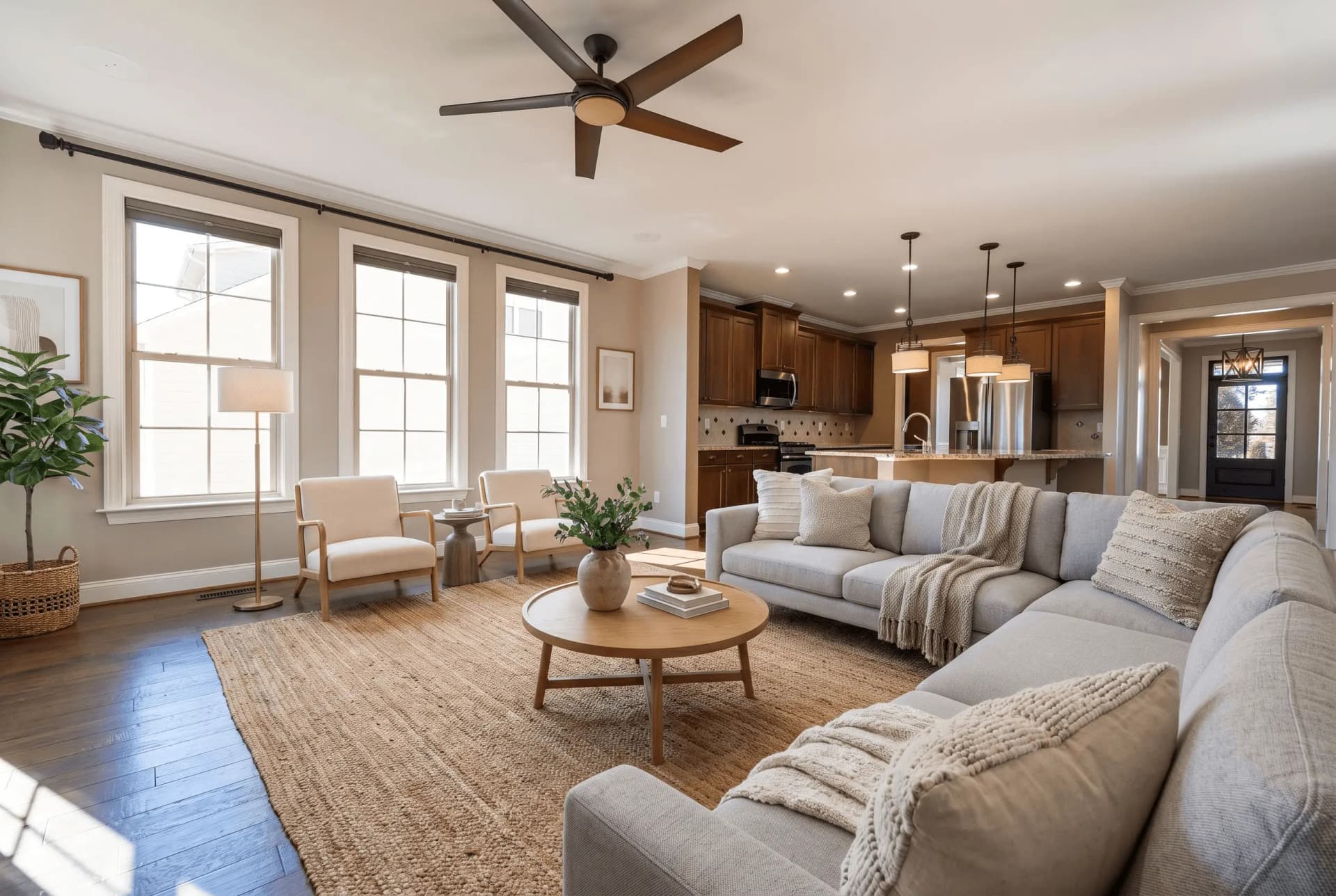
Drop in a photo of an empty room, pick a room type and a furniture style, and the furniture is placed inside your own frame — same camera, same windows, same floor.
JPG, PNG or WEBP · Max 15 MB
- What a run costs
- 1 credit per variant, and a run defaults to 2
- How long it takes
- About 45 seconds — the median of 73 production runs
- Signed out
- Not available — staging needs an account
什么是虚拟装修?
虚拟装修是指用数字方式为空房间照片布置家具,让买家看到空间的潜力。AI 工具只需一张照片,约 45 秒即可完成,每张图约 $0.45–$0.48;而租用并摆放真实家具通常需要 $2,000 以上。
最后更新:
Staging adds furniture to your photograph. It does not redraw your property.
The failure that matters in this category is not ugly furniture — it is a beautiful photo of a room nobody can walk into: a camera that moved, a window that was never there, a floor that changed colour. Three locks in every prompt exist to stop exactly that, and they are the part worth checking before you buy anything here.
- 01The camera never moves
- Same height, same direction, same focal length, same vanishing points. The model may not pan, tilt, zoom or reframe, and may not render any part of the room your photo does not already show.
- 02Nothing structural moves
- Walls, windows, doors, ceiling and fixed fixtures stay as photographed. An instruction to knock a wall through or add a window is rejected before the prompt is built, whoever types it.
- 03The floor stays the floor
- Same material, colour, finish and reflectivity across the whole frame. Changing flooring or wall colour is renovation rather than staging, and it is a different tool with a different disclosure.
- 04A drifted render is re-run free
- Quality control measures the result against your upload and buys one regeneration when the architecture moved. It never refuses to deliver a photo, and the retry costs no credit.
A staged photo is a digitally altered listing image under California's AB 723 — furniture that is not in the house is the clearest case the statute covers. The listing needs a conspicuous notice and a link or QR code to the unaltered original. See the disclosure rules by state
How AI virtual staging works
- 01
Upload the empty room
Any JPG, PNG or WEBP up to 15 MB. A wide shot showing the floor and at least two walls gives the model the depth cues it scales furniture against.
- 02
Pick the room type and the style
Twelve room types and fourteen furniture styles. The room type decides which pieces belong and where the focal piece goes; the style decides the materials they are made of.
- 03
Compare it against your original
Drag the handle across your own upload before you publish: the windows, the fixtures and the floor should be untouched. Then download at 2K and disclose the photo as altered.
Which photo you have, and what to run
Most bad staging is the right tool pointed at the wrong photograph. This is the routing table.
| What you have | Which photo you have, and what to run | What comes back |
|---|---|---|
| Empty roomstandard | Pick a room type and one of fourteen styles. The furniture is placed into your frame and nothing else is redrawn. | Two staged variants by default, 2K JPG, at the upload's own aspect ratio. |
| Furnished roomtwo runs | Declutter it first, then stage the emptied frame. Tools that only add furniture stack new pieces on top of the old ones — that is where doubled sofas come from. | Two separate runs, charged separately: the declutter, then the staging. |
| Several anglesmulti-angle | Stage one shot, then hand that result back as the anchor for the rest. The model is told to transfer the same pieces, not to invent a second set. | 1 credit per variant per angle, with the same furniture recognisable from every viewpoint. |
| 360° panoramaother tool | An equirectangular 2:1 frame is staged as one sphere with the wrap seam closed, so it holds together when you turn all the way around. | 1 credit — a panorama is always a single render. |
Every row costs 1 credit per variant, and the variant picker opens on 2. A free account takes no card and comes with 3 credits; after those, credits work out to $0.45 per photo depending on pack size and they never expire. Signed out, nothing renders — the studio shows a sign-up wall rather than spending a GPU on an anonymous request.
虚拟装修与实体样板房对比
两者都是把家具摆在买家眼前,但只有一种真的把家具搬进房子。
| AI 虚拟装修 | 人工修图装修 | 实体样板房 | |
|---|---|---|---|
| 每张照片成本 | 每张图 $0.45–$0.48 | 每张图约 $39.50 | 每套房 $2,000–$5,000+ |
| 交付时长 | 约 45 秒 | 24–72 小时 | 数天到数周 |
| 改变了什么 | 房源照片 | 房源照片 | 房间本身 |
| 是否需要披露 | 需要 | 需要 | 不需要 |
Virtual staging questions, answered
The questions people actually search for, each answered with the number behind it.
虚拟装修多少钱?
AI 虚拟装修每张图约 $0.45–$0.48。BoxBrownie、VirtualStaging.com 等人工修图服务,同样的结果每张收费 $24 到 $30。传统实体布置每套房 $2,000 到 $5,000 以上,另加每月家具租金。
虚拟装修比实体布置更好吗?
两者解决的问题不同。实体布置改变的是访客在房间里的真实感受,虚拟装修只改变房源照片。虚拟装修成本只有前者的很小一部分,几秒即可完成,因此适合预算或时间不允许租用家具的空置房源。
使用虚拟装修必须披露吗?
在加州必须。AB 723 新增的 Business & Professions Code § 10140.8 要求,经过数字修改的房源照片须带有可见的披露说明,并提供指向未修改原图的链接或二维码。我们检查了 297 个自述照片经过修改的加州房源:其中 294 个没有提供任何可公开访问的原图链接。
已经有家具的房间可以做虚拟装修吗?
可以,但需要两步。先移除现有家具,再为清空后的房间重新布置。只会添加家具的工具会把新家具叠在旧家具上,所以清空与布置是两个独立的操作。
虚拟软装需要多长时间?
配好家具的照片大约 45 秒返回。这是 73 次已完成生产任务的中位数,十次中有九次在 82 秒内完成。AI 只需一张照片,无需上门也无需交付实物,瓶颈是算力而不是排期。由人工修图的服务通常给出 24 至 72 小时,实体软装则需要数天到数周。
有免费的虚拟软装工具吗?
QuickStaging 为每个通过邮箱验证的账户提供 3 个免费积分,无需银行卡。一个积分生成一个方案,一次运行默认输出 2 个方案,因此免费积分足够完整运行一次并剩余一个,或按每次一个方案生成 3 张不同照片。未使用的积分永不过期。
Virtual staging glossary
The terms that come up in listing photography and staging briefs.
- Virtual Staging
- The process of digitally furnishing and decorating empty property photos using computer software or AI technology to help potential buyers visualize the space's potential.
- Home Staging
- Traditional physical staging where actual furniture and decor items are temporarily placed in a property to make it more appealing to potential buyers. Unlike virtual staging, this involves real furniture and costs significantly more.
- AI Staging
- Virtual staging powered by artificial intelligence that can automatically furnish rooms, match design styles, and create photorealistic results in seconds. More advanced than traditional photo editing methods.
- Listing Photo
- Professional photographs used to market a property for sale or rent on real estate platforms like Zillow, Realtor.com, or MLS listings. High-quality listing photos can increase buyer interest by up to 60%.
- MLS (Multiple Listing Service)
- A database used by real estate brokers to share information about properties for sale. MLS listings typically include photos, descriptions, pricing, and property details. Virtual staging can make MLS listings stand out.
- Render
- The final processed image produced by virtual staging software. A high-quality render should look photorealistic and seamlessly blend virtual furniture with the original room photo.
- Turnaround Time
- The time it takes from submitting photos to receiving finished virtually staged images. Traditional services take 24-48 hours, while AI-powered platforms like QuickStaging deliver results in about 45 seconds.
- Photorealistic
- Staging that reads as a photograph rather than a render: furniture at plausible scale, shadows falling the way the room's own light falls, and the camera's perspective unchanged. It is the target, not a guarantee — compare any result against your original before publishing it.
- Vacant Property
- An unfurnished property with no furniture or decor. Buyers judge a room's scale against the things in it, and an empty room gives them nothing to judge it against — which is the gap virtual staging is meant to close.
- Design Style
- The aesthetic approach used in virtual staging, such as Modern, Minimalist, Industrial, Scandinavian, or Traditional. Choosing the right style for your target buyer demographic increases engagement.
Terms, limits and edge cases
The questions above answer what virtual staging is. These answer what this one does.
Which rooms and styles can I stage?
Twelve room types — living room, bedroom, dining room, kitchen, bathroom, home office, kids' room, entryway, plus restaurant, hotel, retail and commercial office — in fourteen furniture styles from Modern and Scandinavian through Japandi, Coastal, Farmhouse and Luxury. Seven of the residential room types have their own guide page, linked above.
What resolution does the staged photo come back at?
2K, as a JPG, at the aspect ratio of what you uploaded. There is no watermark on a staged download — staging runs only for signed-in accounts, so there is no anonymous tier to stamp.
What happens if the furniture comes back wrong?
Quality control compares the result to your upload and re-runs it once at no charge when the room itself drifted. Beyond that you can re-run for 1 credit per variant, or brush over one area and regenerate just that part instead of the whole frame.
Can I keep the same furniture across several photos of one room?
Yes — that is what multi-angle staging is for. Stage the first shot, then feed it back as the anchor and the model transfers the same pieces into the next viewpoint rather than furnishing the room again from scratch. Each angle is still 1 credit per variant.
Do I need design or Photoshop skills?
No. Pick the room type and the style; furniture selection, placement, scale and lighting are handled from the photograph. The only judgement asked of you is which style suits the buyer you are selling to.
What image formats and file sizes are supported?
JPG, PNG and WEBP up to 15 MB. iPhone HEIC photos need exporting or converting to JPG first. Panoramas go through the 360° tool instead, where the 2:1 ratio matters.
Does QuickStaging label the photo as staged for me?
No — the file comes back clean, because the notice belongs in the listing where the photo is published, not burned into the pixels. Our disclosure page carries wording that satisfies the statute, and the AB 723 checker tells you whether a live listing already meets both halves of it.
Can I stage a 360° panorama?
Yes, through the 360° staging tool rather than this one. It takes a 2:1 equirectangular frame, stages the whole sphere in a single render with the wrap seam closed, and costs 1 credit because a panorama is never split into variants.
Disclosing altered photos
Since January 1, 2026, California's AB 723 has required a visible disclosure and a link to the original photo on digitally altered listing images. Edits that change how a property looks are covered; routine colour and exposure fixes are not.
Where this tool fits
Every tool here does one part of the same job. This is the order the parts come in.
- 1
Check what you shot
Find out which photos need work before you spend anything on them.
- 2
Fix the photograph
Exposure, sky, lawn, and anything in the frame that should not be there.
AI图像增强, 白天到黄昏转换器, AI天空替换, 包围曝光合成, AI一键清空, AI物体移除, AI草坪优化, 照片垂直校正
- 3
Show what it could be
You are here
Furnish an empty room, change the finishes, or stage a full 360° panorama.
- 4
Build the listing
The two things on a listing page that are not photographs.
- 5
Take it to market
Video, print, and the front door of an open house.
One photo is not the whole listing
The same upload can go through sky replacement, day-to-dusk, decluttering and the lawn tool, then out as listing copy, social posts and a print flyer. It is one studio, not eight.
Open the Studio3 个免费额度即可开始,之后每张照片约 $0.45。额度永不过期。 查看价格